

How to get paid before you deliver real estate photos
By Omnivou Team · Published · 6 min read
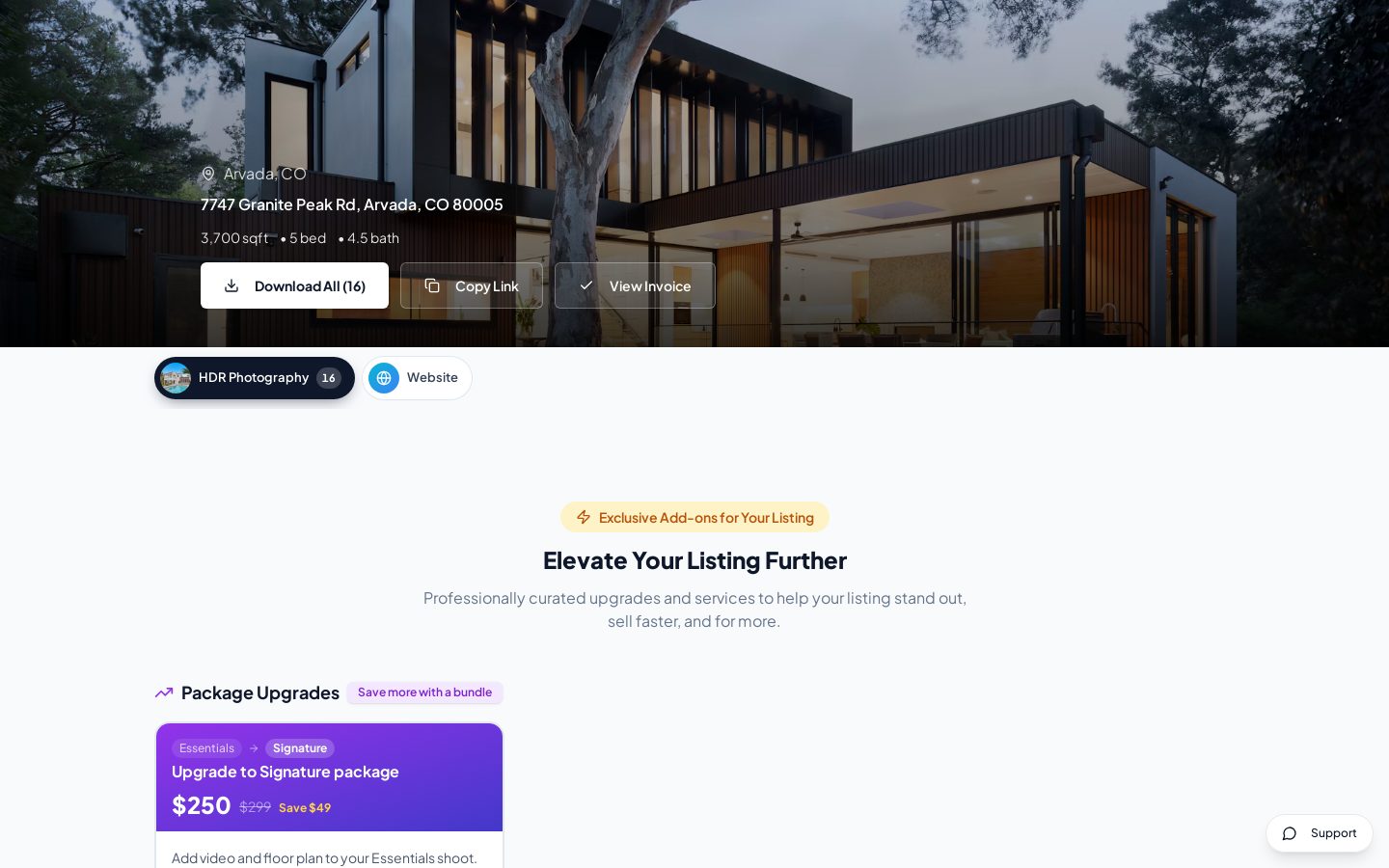
To get paid before you deliver real estate photos, move payment to one of two moments you control: booking (a deposit or full prepayment) or delivery (downloads stay locked until the invoice is paid). Back either one with written terms that say when the agent may use the photos, and make paying take one click from the email or page they already have open.
Most listing-media studios bill after the shoot and wait. The work is done the same day, the files go out the next morning, and the invoice sits until the listing agent gets around to it. This guide covers the options for changing that, what each one costs you in friction with agents, and how to set them up without losing regular clients.
Why photographers end up chasing invoices
Three things make listing media slow to pay. Invoices are small and frequent, so each one feels too minor to chase. The agent already has what they need once the photos are on the MLS, so paying has no deadline attached. And the person who ordered is often not the person who pays: a co-listing agent, a team lead or a brokerage office may split or approve the bill.
None of this means agents are bad payers. It means the payment step has nothing tying it to the work. Each method below adds that tie.
Four ways to get paid at or before delivery
| Method | When you get paid | Friction for the agent | Works best for |
|---|---|---|---|
| Full prepayment at booking | Before the shoot | High: card needed to book | New clients, one-off orders, high-value shoots |
| Deposit at booking | Part before, rest at delivery | Medium | Video, twilight and large packages |
| Payment-gated delivery | When the agent downloads | Low: they pay to get the files | Most listing photo orders |
| Invoice with short terms | Due date after delivery | Lowest | Brokerages and long-standing clients |
1. Full prepayment at booking
The agent pays when they book. This removes collection completely, but it is also the method agents push back on most, because the price can change on site: an extra room, a drone add-on, a reshoot. It suits first orders from unknown clients and expensive shoots where a no-show would cost you a whole evening. If your booking form shows the full price, including travel fees, before the agent confirms, prepayment feels less like a demand and more like checkout.
2. A deposit at booking
A deposit covers your risk without asking for the whole amount up front. A fixed amount or a percentage is common for video, twilight and large packages, where a late cancellation leaves a gap you cannot fill. If you invoice through Square, its help centre explains how to request a deposit and schedule the remaining balance on one invoice. Check the version for your country, because plan eligibility differs by region. State in your cancellation terms whether the deposit is refundable.
3. Payment-gated delivery
The photos are ready and the agent can see them, but the full-size and MLS downloads unlock only when the invoice is paid. It puts payment at the exact moment the agent wants something. Agents can still preview the gallery, so nobody waits on you, and the payment link sits next to the download button.
Several studio platforms offer a version of this. HDPhotoHub and Show & Tour both listed pay-to-download delivery on their public pages when we checked them in October 2026. In Omnivou, a delivery page can keep downloads locked until the invoice is paid, and the agent can answer with "Pay now", "Already paid" or a promised payment date, so you know who is paying by e-Transfer and who has simply not looked yet.
4. An invoice with short terms
Some clients will not prepay or pay to download: brokerages that pay monthly, teams with an office manager, agents who have ordered from you for years. For them, send the invoice with the delivery, keep the due date short and let reminders do the chasing. Due-date reminders three days before, the day before, on the day and after it is overdue cover most of the follow-up without a personal email.
Put the licence in writing
Locking downloads only works if your terms say what the agent may do with the photos and when. Copyright usually stays with the photographer. The U.S. Copyright Office says that the author and initial copyright owner of a photograph is generally the person who takes it, with a limited exception for works made for hire (What Photographers Should Know about Copyright). In Canada, the Copyright Modernization Act of 2012 repealed the old rule that made the person who ordered a photograph its first owner (section 7 of the Act).
That means the agent is normally using your photos under a licence you grant. You can word your terms so the licence to market the listing starts when the invoice is paid. Have a lawyer in your province or state review the wording; this guide is not legal advice. What matters for collections is that the terms are on the booking form, the invoice and the delivery page, so nobody can say they never saw them.
Handle co-listing agents and brokerages
One listing, two payers is where many invoices stall. Each agent assumes the other one paid. Splitting the invoice so each payer gets their own amount, link and reminders removes that confusion. Decide up front whether downloads unlock when the first payer pays or only when both have paid, and say so in your terms. With brokerage accounts, agree the billing cycle in writing and keep those clients on invoice terms rather than locked downloads. See how split invoices and collections work in Omnivou.
Introduce it without losing clients
- Start with new clients. Apply prepayment or locked downloads to first orders, and keep your existing agents on their current terms for now.
- Tell regulars before you change. A short email a few weeks ahead, with the reason (faster delivery, fewer reminders), lands better than a surprise lock.
- Make paying faster than not paying. Card payment from the delivery page, a saved card for repeat clients and a receipt by email.
- Keep an exception list. Brokerages and trusted long-term clients can stay on invoice terms. Review the list when someone pays late twice.
- Don't punish slow payers in the files. Locked downloads with an online preview are fine. Watermarking a paid client's photos by mistake is not, so test your setup on a dummy order first.
What to look for in software
If you run this by hand, every locked gallery is a manual unlock after you check the bank. Software should link the invoice to the delivery so payment unlocks the files on its own. Check for:
- downloads that unlock automatically when the invoice is paid
- deposits and balances on the same order
- one invoice split between two or more payers, each with their own link
- manual methods such as e-Transfer, with a way to mark them paid
- automatic reminders before and after the due date
- exceptions per client, so brokerages stay on invoice terms
Omnivou's delivery pages and invoicing cover locked downloads, deposits, split payers, manual methods such as e-Transfer, and due-date reminders. Plans start at $99 a month with unlimited orders, or $8.99 per delivered listing with no monthly fee. See pricing, or read what real estate photography software should cover for the rest of the workflow.