

Everything in Omnivou.
23 modules and 155+ features, built and used every day by a working real-estate media studio. Search for anything you need.
Booking flows
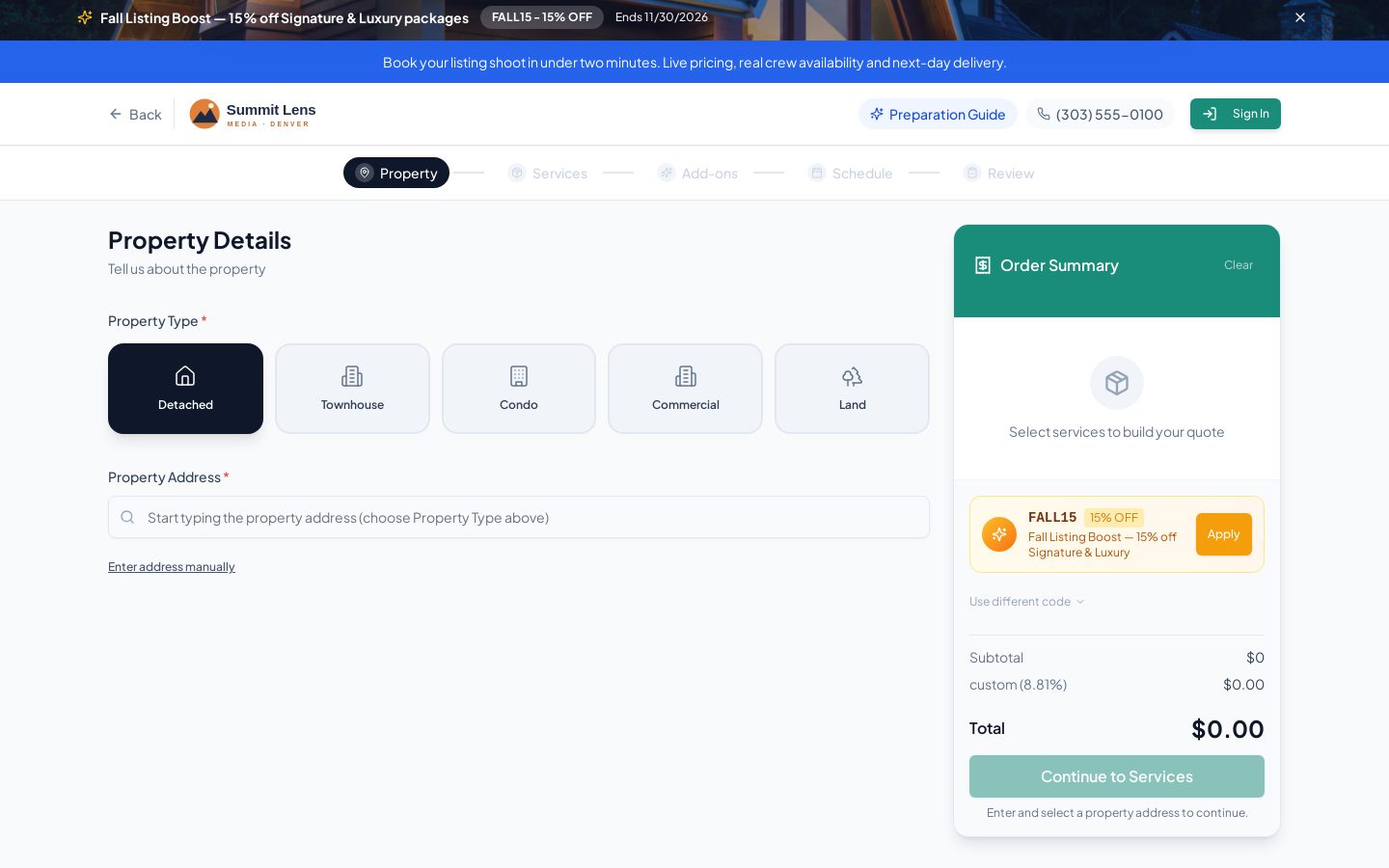
Unlimited branded booking flows — each with its own products, visibility, tax, payment methods and rules. Agents book in minutes; prices update live by square footage.
- Unlimited flows, each with its own colours, logo, products, tax and cancellation rules
- Public, private, or limited to specific agents, teams or brokerages
- Flat, square-footage and dual square-footage (livable vs non-livable) pricing
- Live price calculator, plus admin quotes exported as PDF
- Address autocomplete, property details, access instructions, co-listing agent
- Upsells, add-ons, promotional banners and coupons at checkout
- Real availability from crew calendars, travel and sunset — not a static slot list
Scheduling & dispatch
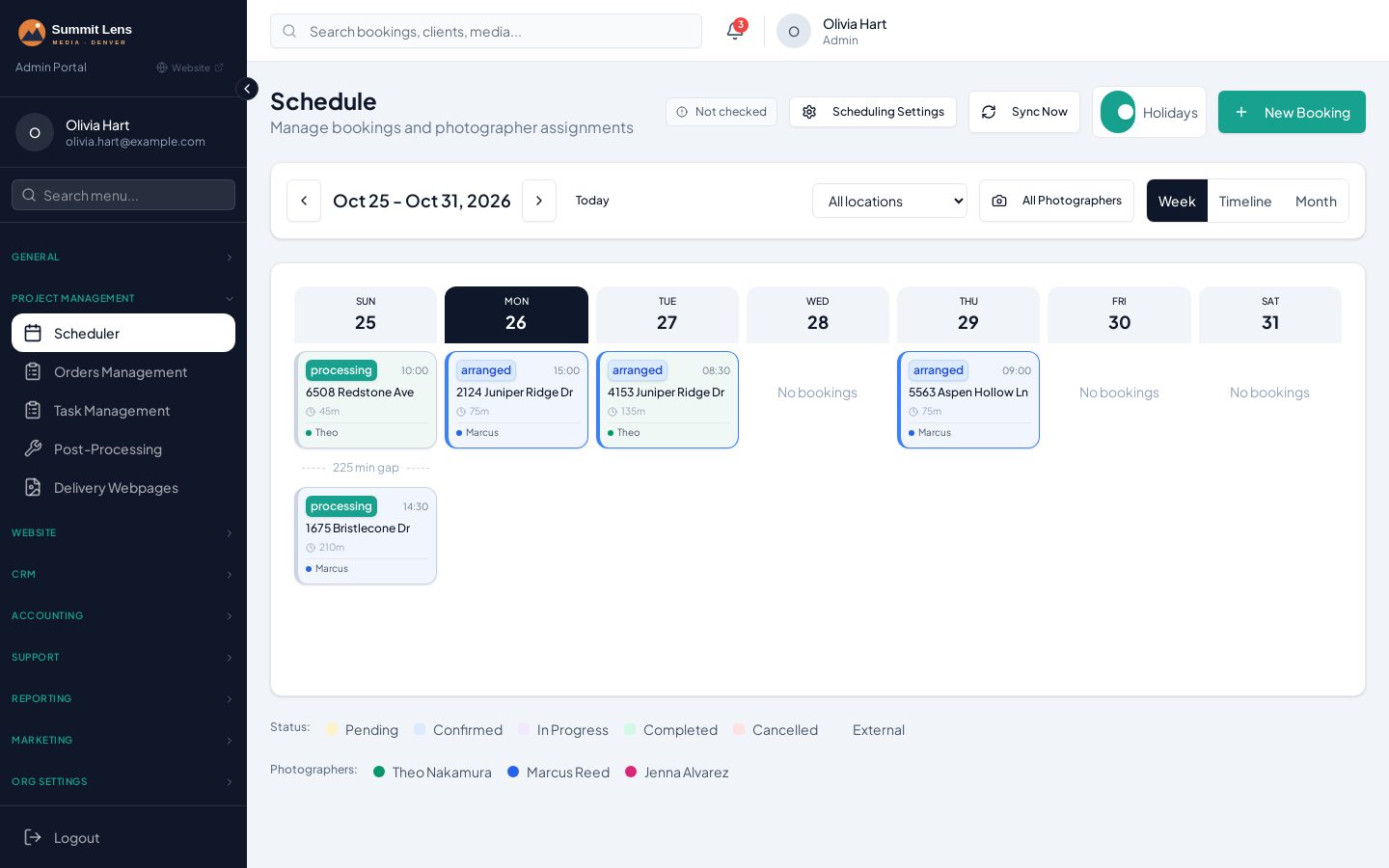
Availability is generated from each photographer's hours, existing jobs and Google Calendar busy times. Twilight slots follow the actual sunset for each date, and travel fees come from zones you draw on a map.
- Crew Google Calendar free/busy checks, buffers, minimum notice and blackout dates
- Sunset-aware twilight scheduling: the last slot of each day follows that date's sunset
- Map-drawn service zones: coverage, travel-free and photographer areas
- Travel-fee policies by city, radius from office or radius from photographer
- Dispatch board colour-coded by photographer, with drive-time estimates
- 16-day weather forecast on the scheduler
- Two-way Google Calendar sync on create, reschedule and cancel
- Multi-location: time zone, tax, hours and payment settings per location
Order management
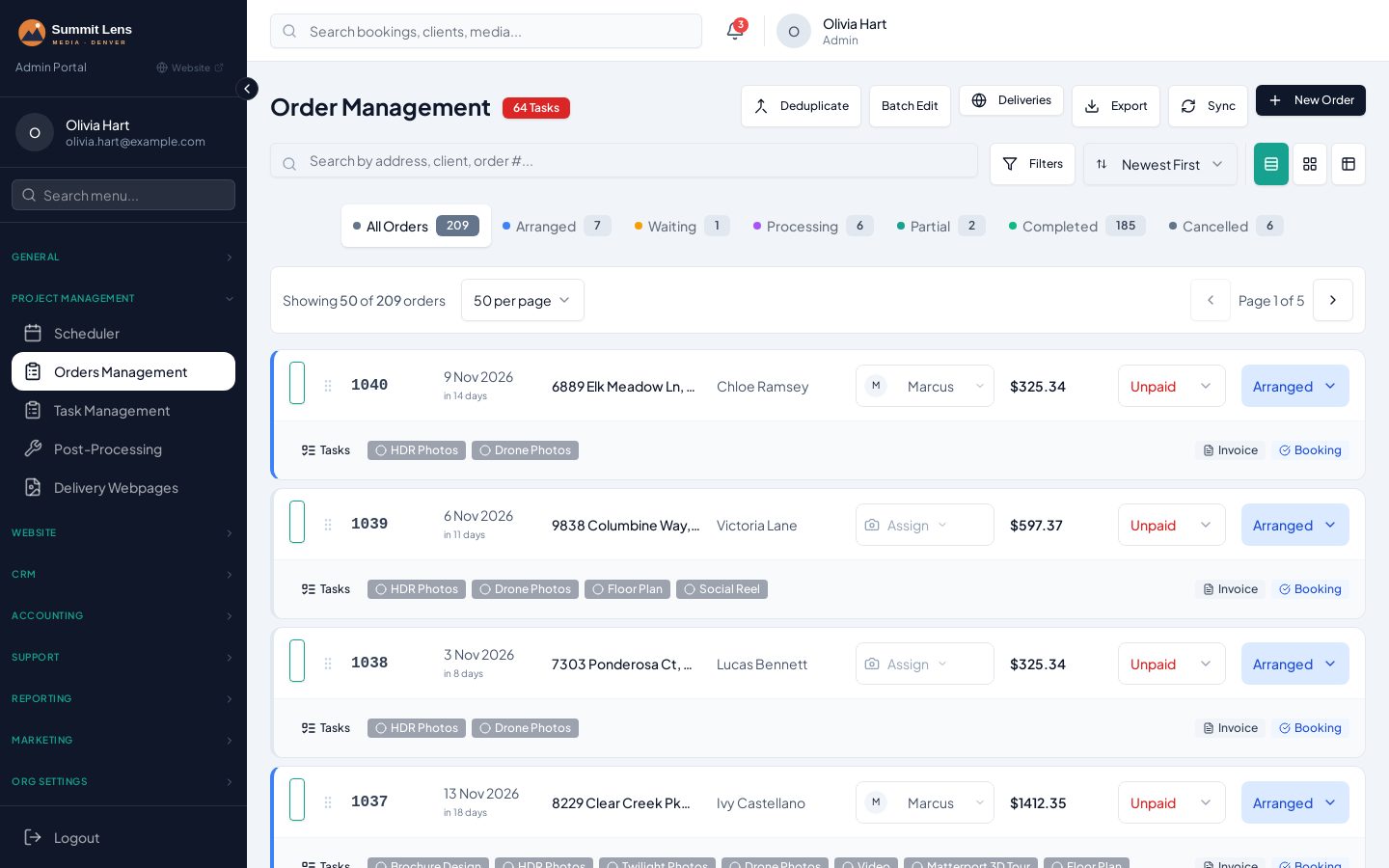
A full workspace per order: services with their own status pipelines, assignments, financials, delivery links, cloud folders, notes and an activity log.
- Filters, search, batch edit, spreadsheet view and card or row layouts
- Per-service status pipelines (e.g. Shooting → Editing → QC Review → Delivered)
- Assignments, schedule, invoice, costs and payments on one screen
- Automatic Dropbox order and RAW folders; Google Drive supported
- Per-service notes with checklists and @mentions
- Sequential order numbers and optional external project numbers
Photographer & editor apps
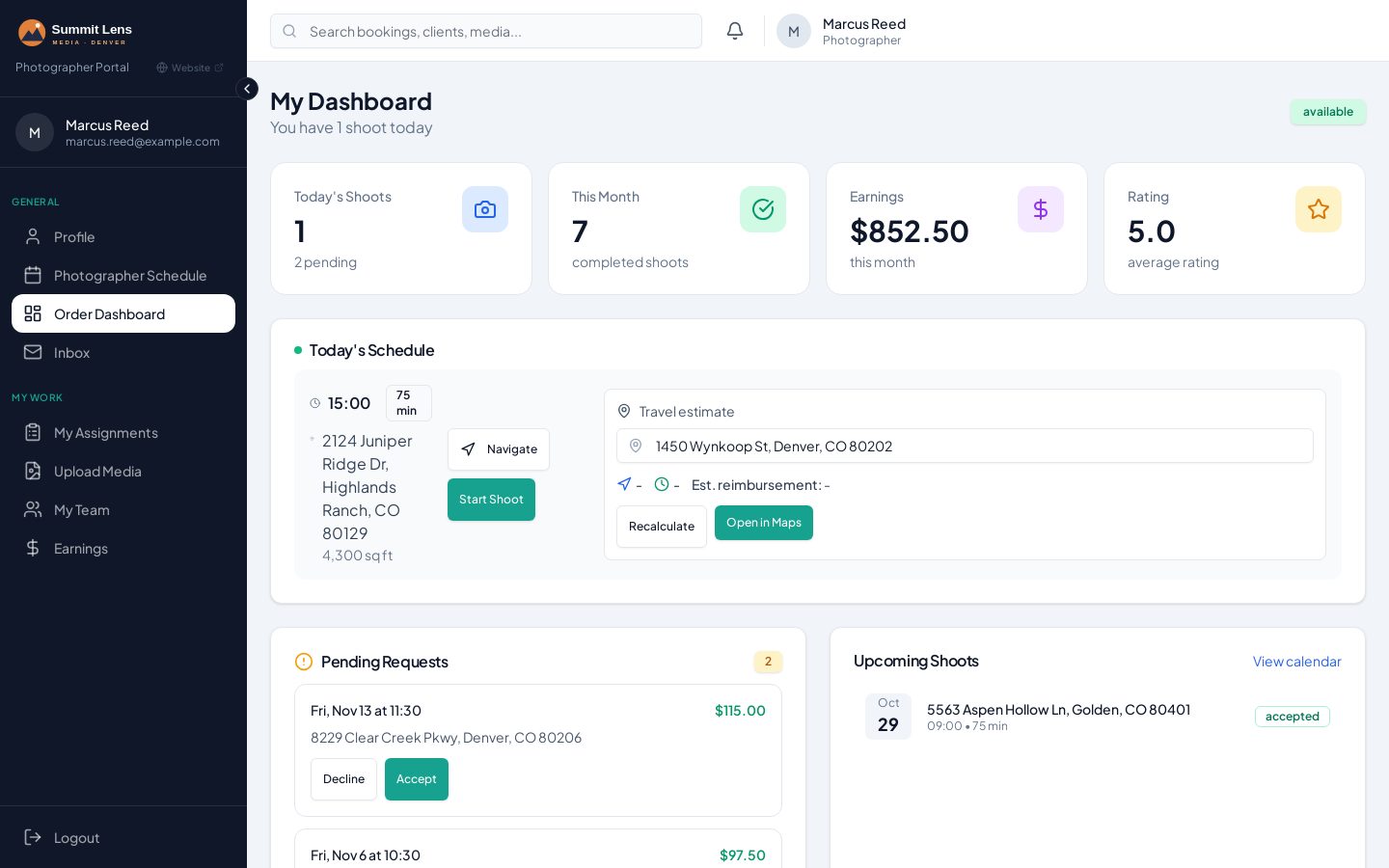
Photographers see today's jobs and a one-tap 'Next job' button on mobile; editors get an urgency-sorted queue. Everyone accepts, uploads and submits from the same place.
- Photographer dashboard with today's jobs and the next 7 days
- One-tap 'Next job' directions on mobile
- Accept or decline assignments with scope, deadlines and folder links
- Editor queue sorted by urgency, with saved 'attention items' per job
- Send-to-editor emails with shared links and automatic follow-ups
- Earnings view for every crew member
Post-production & QC
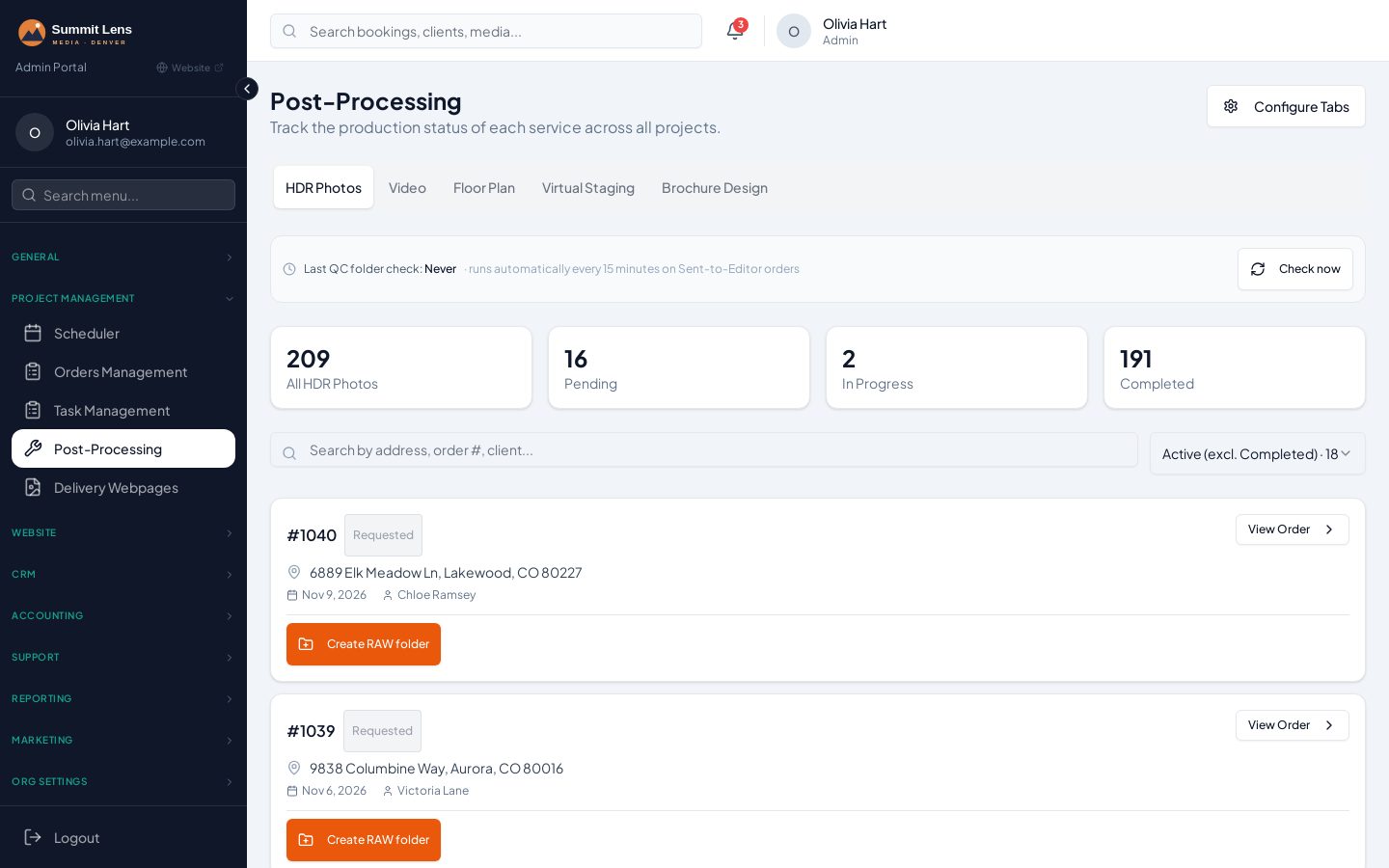
A post-processing hub organised by service. When edited files arrive in the job's QC folder, the service moves to QC Review and your automations fire.
- Post-processing tabs per service (HDR, photo management, editor jobs)
- Automatic QC detection from Dropbox every 15 minutes
- Service status advances to QC Review and triggers notifications
- Full-size and MLS-size downloads generated for you
Tasks & automations
Every service creates its own tasks. Map any trigger — booking created, rescheduled, a service hitting QC Review, an invoice going overdue — to a reusable set of actions.
- Task board grouped by team member and service, with checklists and due dates
- Service task templates (AI can draft them for you)
- Action sets: calendar events, cloud folders, delivery page, email, SMS and team alerts
- Trigger × action-set matrix, globally or per booking flow (Pro)
- About 25 built-in triggers, from booking_created to payment_failed
- Per-service status triggers such as 'QC Review'
- Outgoing webhooks per trigger, with a test tool
- Logs of every email, SMS and webhook attempt
Task board on every plan; automation matrix on Pro and Scale.
See Tasks & automations in detail (2 screenshots)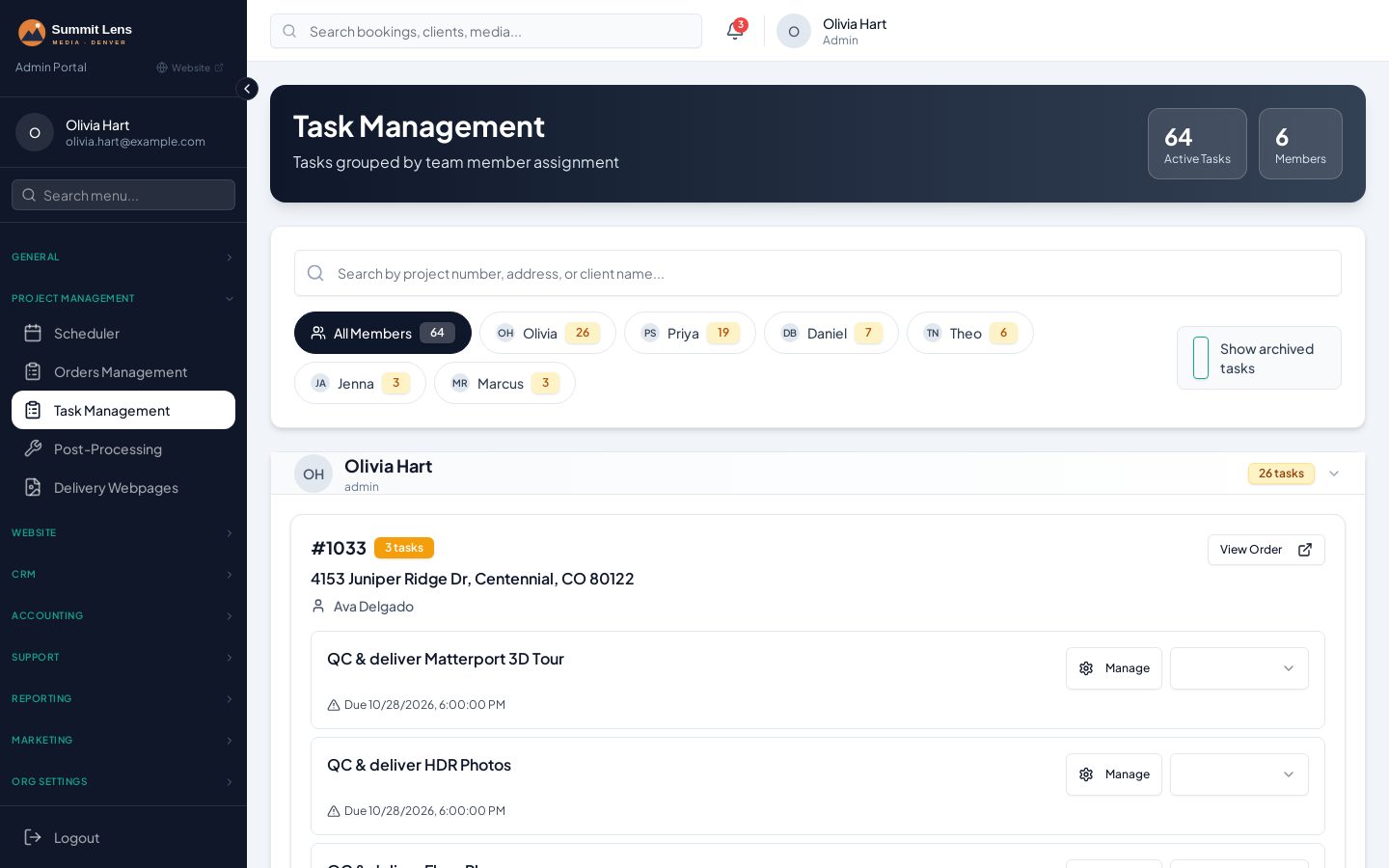
Delivery & property websites
Build each delivery page from drag-and-drop sections. Downloads can stay locked until the invoice is paid — and clients can tell you when they'll pay.
- Sections: gallery, video, floor plan, PDF, Matterport, 3D tour, FloorView, website, brochure
- AI room sorting into 15 categories, with drag-and-drop gallery categories (Pro)
- Multiple videos per section, with 16:9, 9:16 and 1:1 detected automatically
- Payment-gated downloads with 'Pay now / Already paid / Promise to pay' responses
- Upsell store and brochure approval right on the delivery page
- Download all in full size or MLS size, QR code, password and expiry
- Single-property websites with two themes and an inquiry form
- Matterport hosting tracking with expiry reminders and self-serve extensions
- Branded and unbranded floor-plan sheets rendered automatically from CubiCasa drafts
- Dropbox, Google Drive and Vimeo import — folders created per order automatically
Upsell store & upgrades
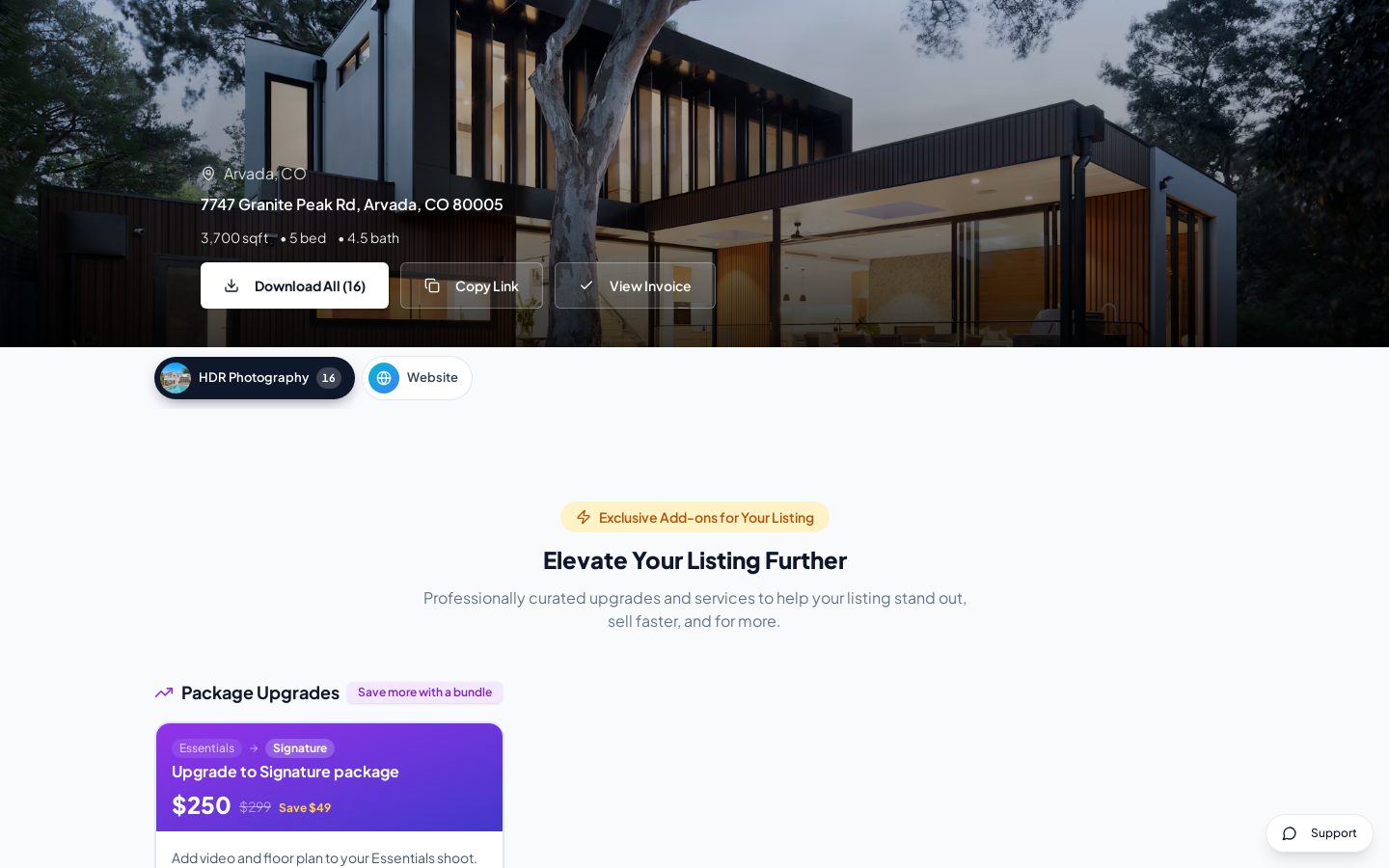
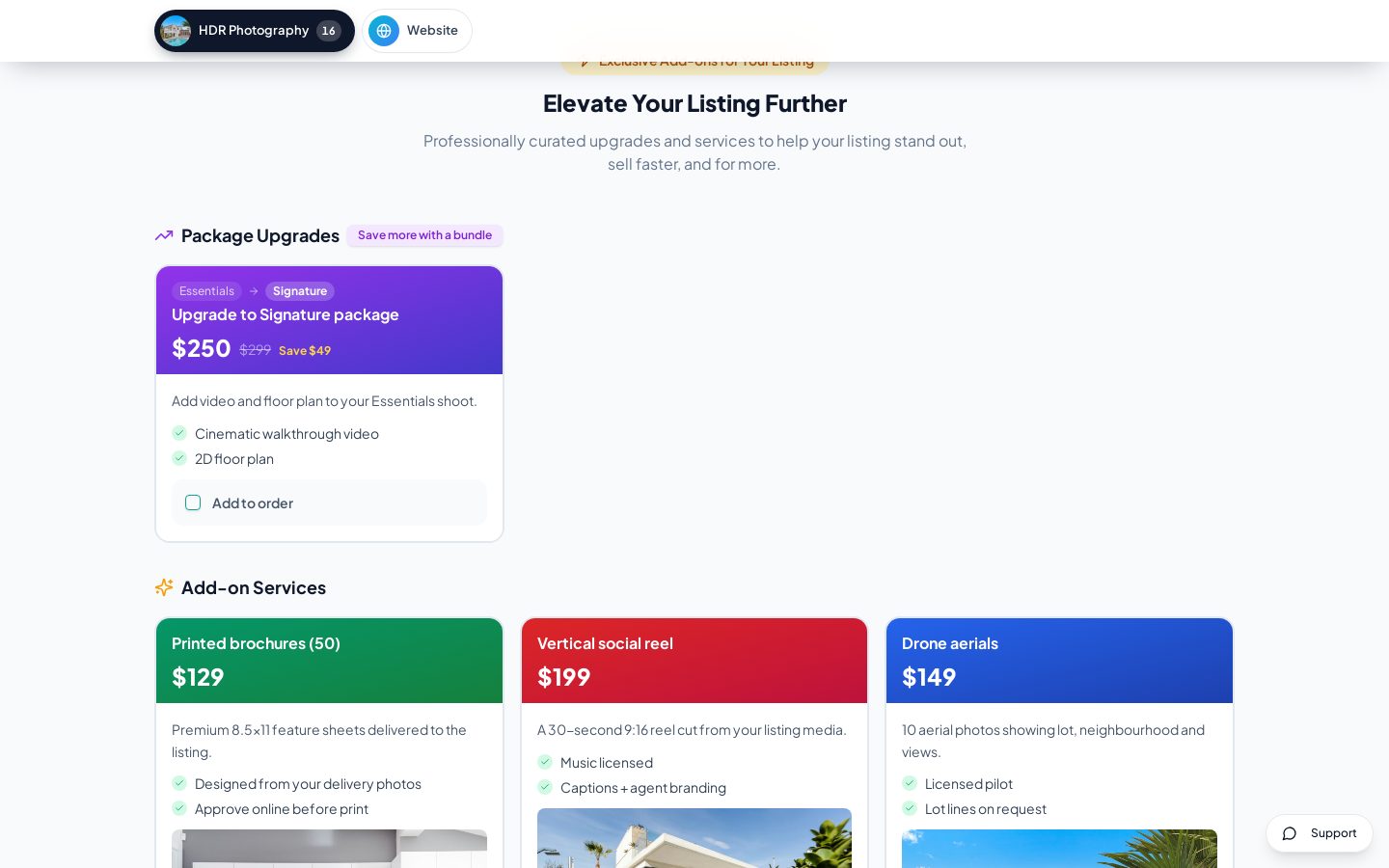
A curated add-on store on every delivery page: twilight conversions, virtual staging, drone, social reels, print and package upgrades. Agents buy in a click; you get paid before you do the work.
- Catalogue of add-ons and package upgrades with prices, 'was' prices and highlights
- Package upgrades (e.g. Essentials → Signature) priced as the difference
- Sample images, bullet points and categories per item
- Choose which items appear on each delivery page, or use defaults
- Limit items by location or pricing set
- Square payment links for instant checkout
- Purchased add-ons appear as new sections on the delivery page
Matterport hosting & renewals
Track every Matterport tour you host — start and end dates, included and extra months — and let agents extend hosting themselves from the delivery page before the tour goes dark.
- Hosting record per tour: start, end, included months, extensions and total paid
- Automatic reminders 15, 7 and 1 day before expiry, from your own templates
- 'Expiring soon' banner and one-click extension on the agent's delivery page
- Extension pricing per month, paid through your Square checkout
- Status tracking: active, expiring soon, extended, renewal pending, expired
- Admin alerts so nothing expires by surprise
- Matterport and other 3D tours embedded on delivery pages and property websites
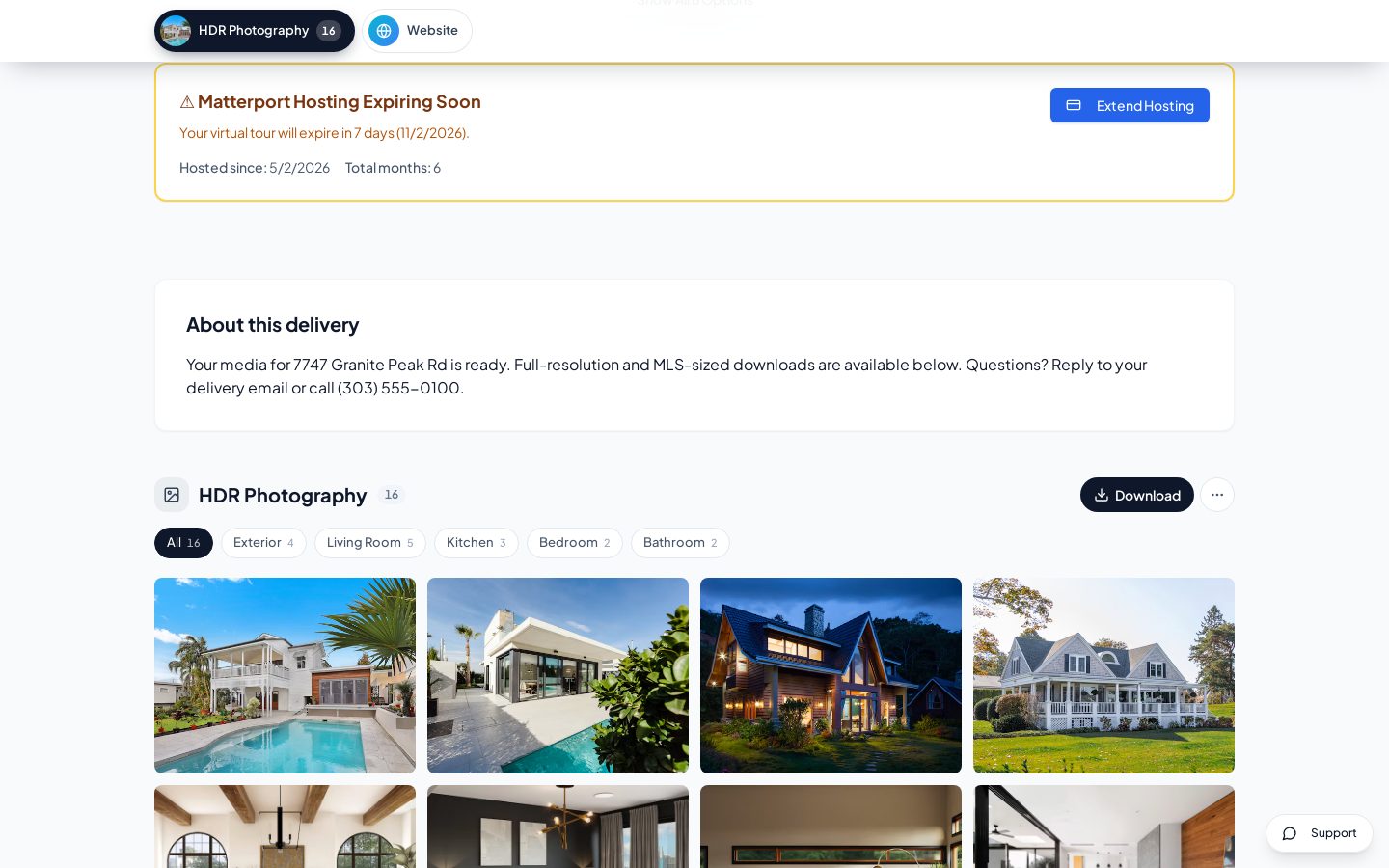
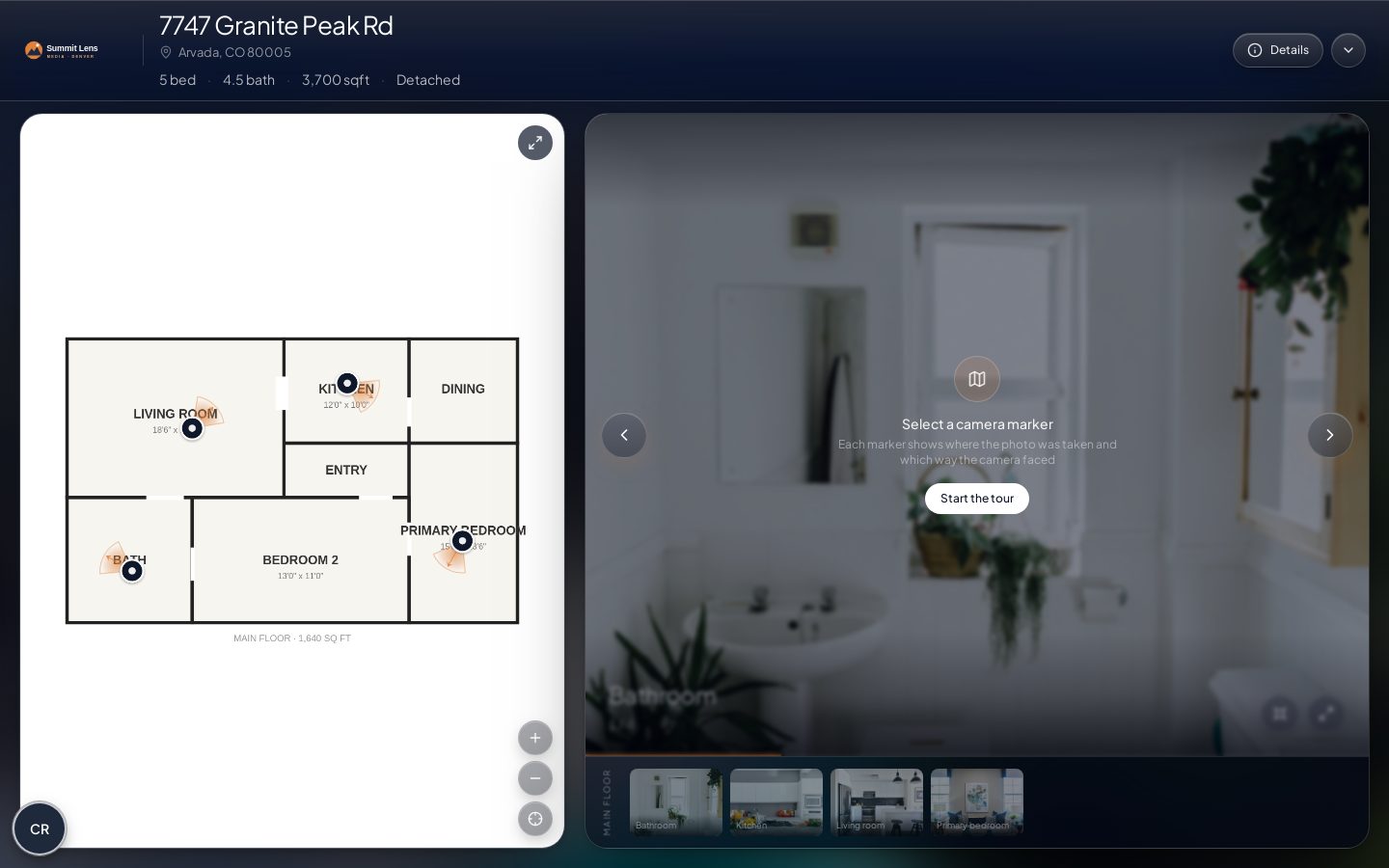
FloorView 2D tours
ProUpload a floor-plan PDF. AI detects each floor and matches listing photos to the rooms they were shot in; you place the camera hotspots and share the tour.
- AI detects floors and their bounds on a floor-plan PDF
- AI matches listing photos to rooms and floors
- Place camera hotspots and set their direction
- Shareable public tour link, with optional agent contact details
- Embed it as a section on the delivery page
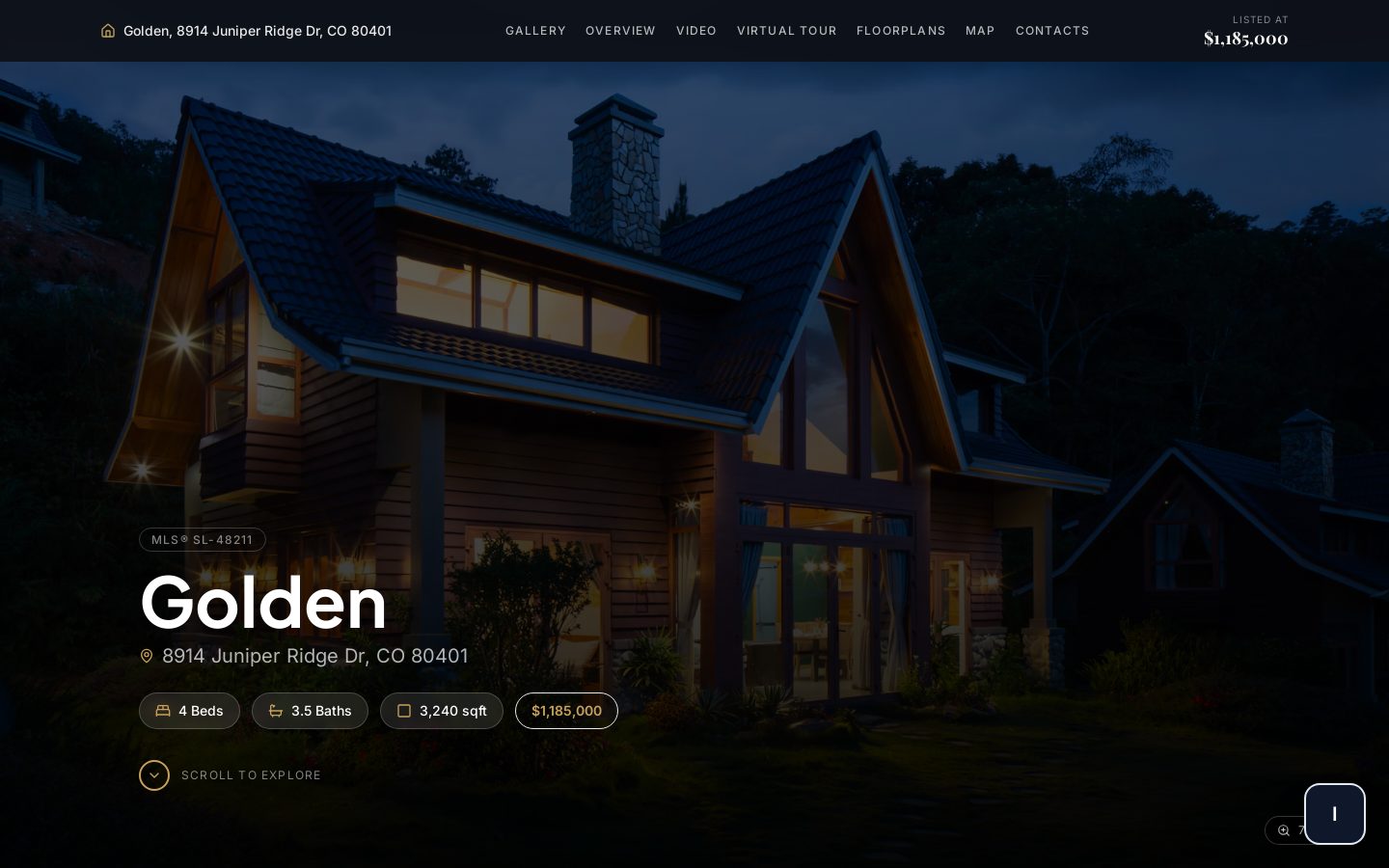
Property websites & tour wrappers
Single-property websites with gallery, details, video, 3D tour, floor plans, map and agent contact — plus branded or unbranded wrappers around any 3D tour, auto-filled from the order.
- Two premium themes, colours and fonts per listing
- Photos, slideshow, videos, 3D tours, floor plans, documents and brochure
- Listing agents with photo, brokerage and contact; AI picks brand colours from the agent's logo
- Contact form that creates a lead in your CRM
- View counts and analytics; custom domain field
- Branded and unbranded tour wrappers (MLS-friendly)
- Linked from the delivery page automatically
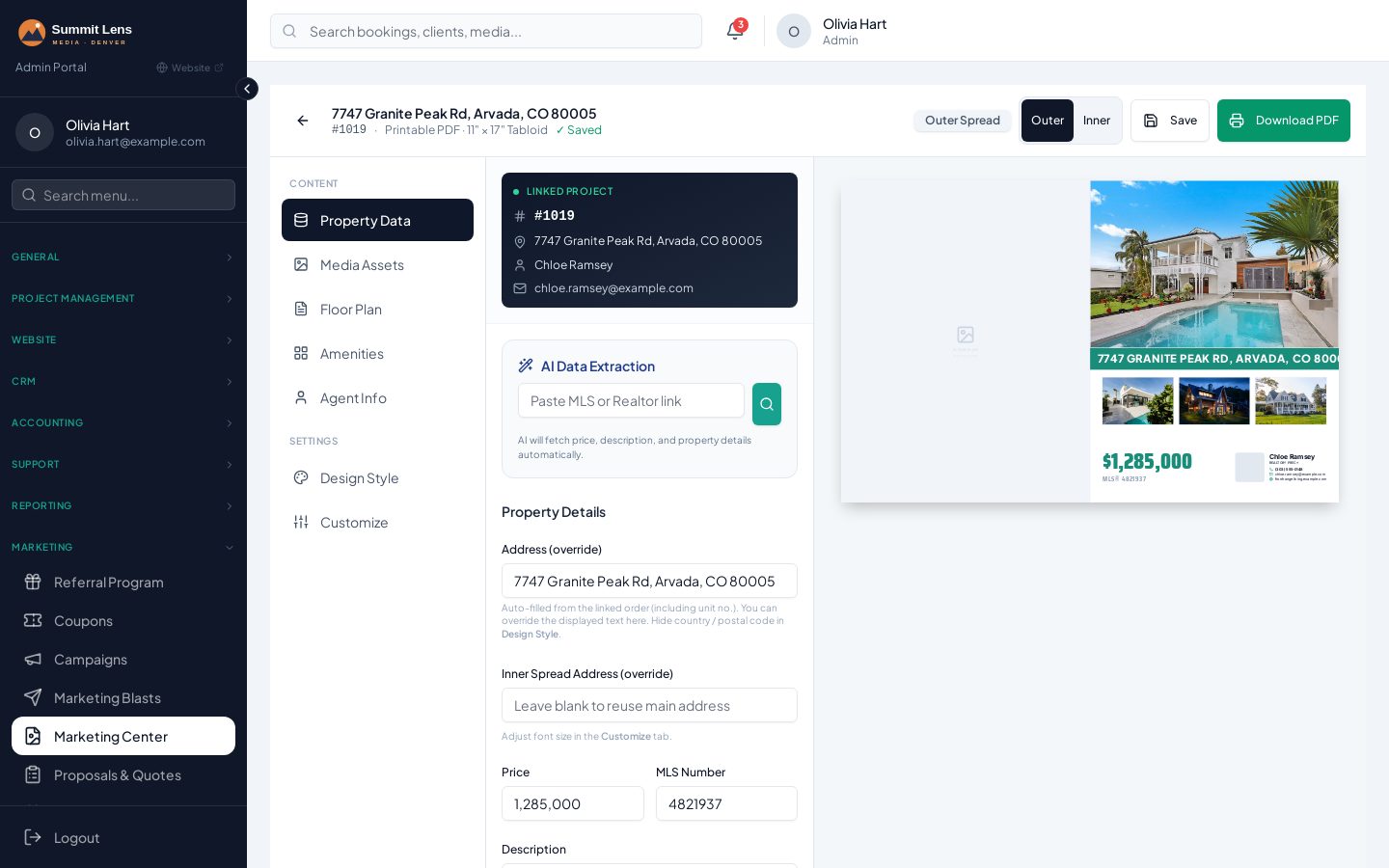
Brochure designer & print approval
ProA canvas brochure designer with templates, fonts, an amenities icon set and agent and floor-plan sections. AI pulls listing details from a URL; agents approve and pay for print on their delivery page.
- Drag-and-drop canvas with reusable templates
- Google Fonts, amenities icons, floor-plan and agent sections
- AI imports listing data from a URL
- PDF export at print quality
- Brochure approval with pricing and tax on the delivery page
- Printed brochures sold as an upsell
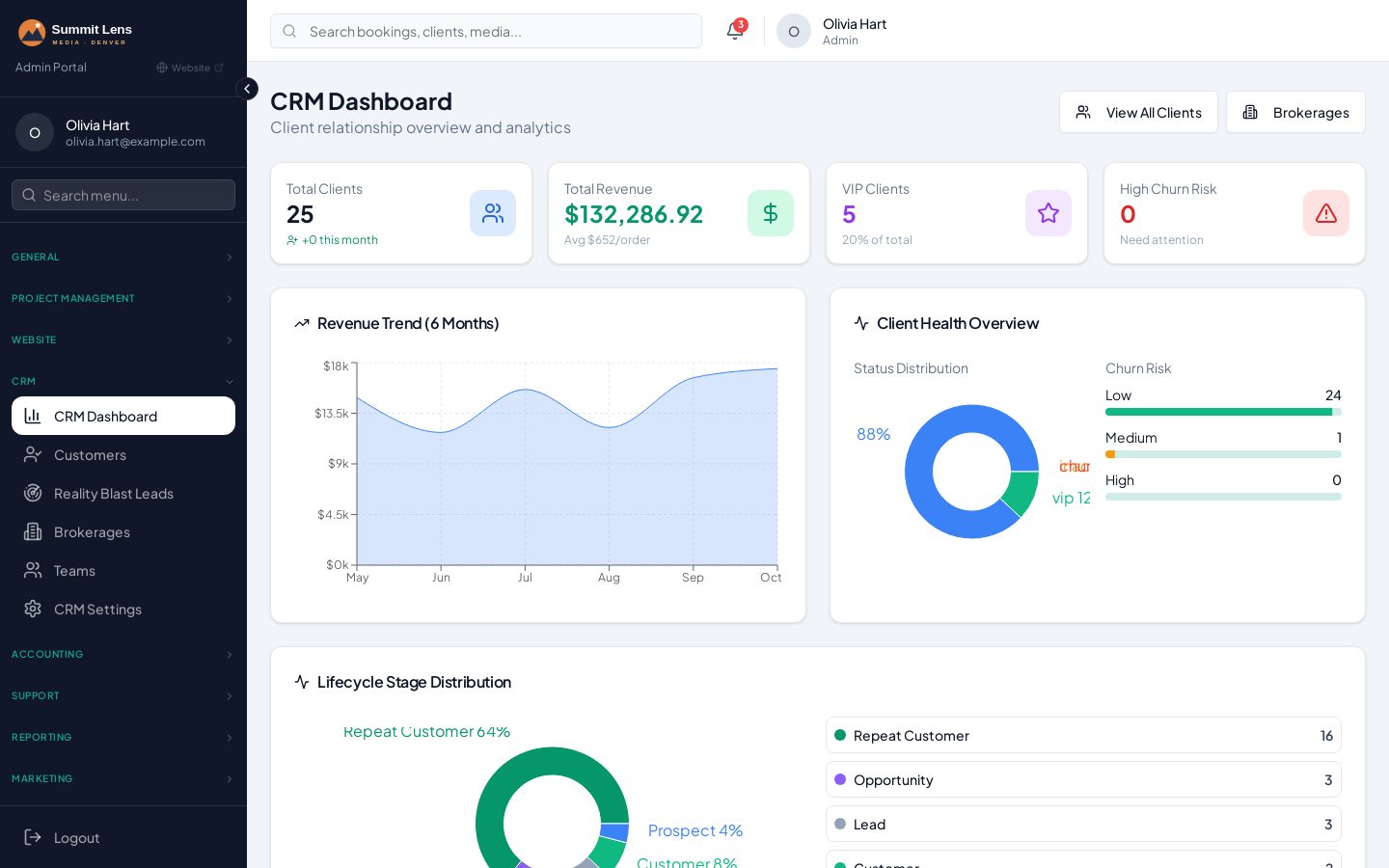
CRM
Agent profiles with order and invoice history, brokerages and teams — plus automatic analytics: lifetime value, gaps between orders and churn risk.
- Agent profiles with brokerage, team, tags, lifecycle stage and branding files
- Automatic spend, activity, payment and loyalty tiers
- Lifetime value, average order value and churn risk
- Activity timeline: notes, emails, SMS, calls, orders and payments
- Find duplicates and merge field by field
- Import from CSV, or let AI pull an agent or brokerage profile from a URL
- Brokerage and team records with their own discounts
Marketing & offers
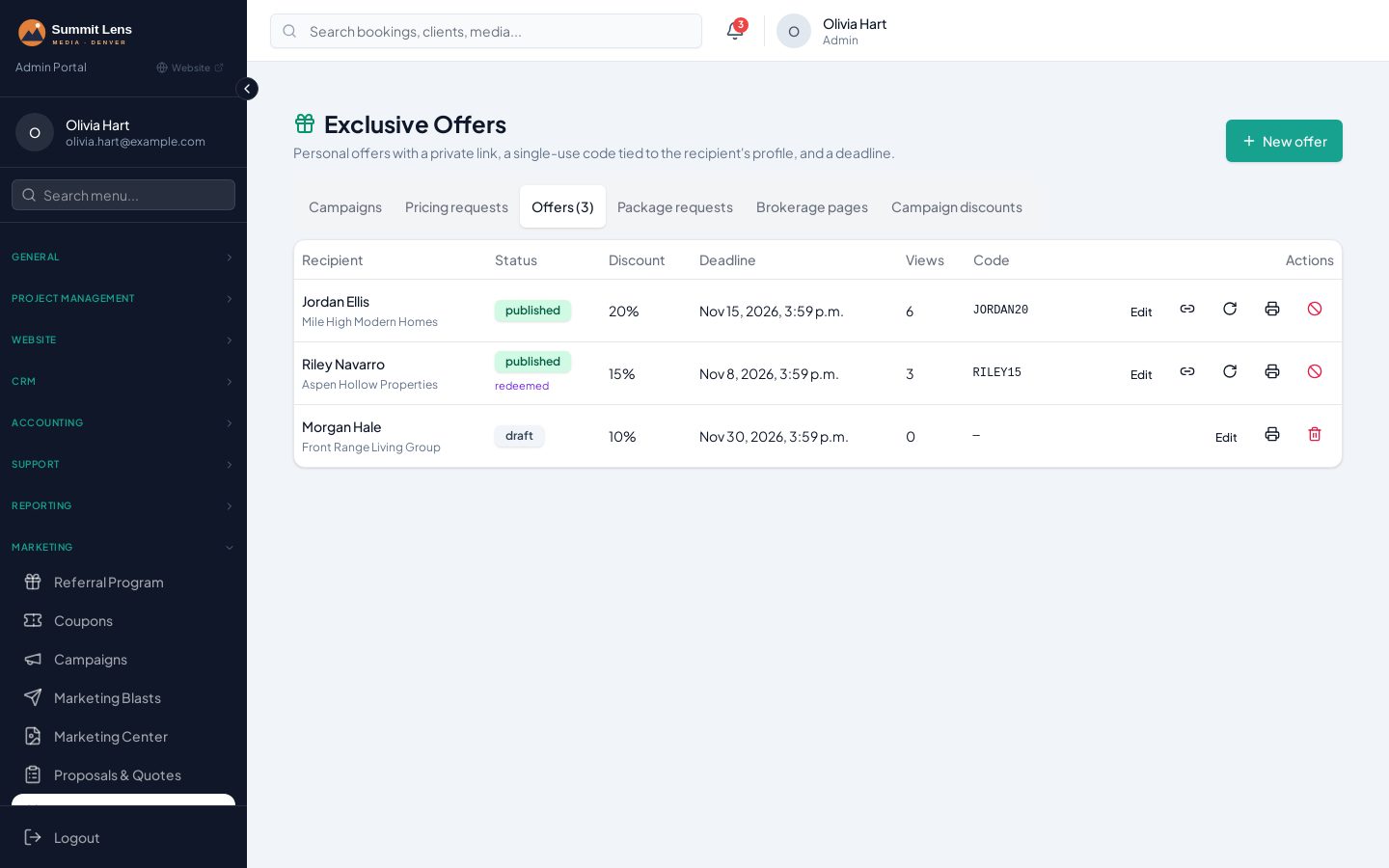
ProCampaigns, email and SMS blasts, referrals and coupons — plus personal exclusive-offer pages that create a private booking flow and single-use coupon for each prospect.
- Campaigns with targeting, banners, start/end dates and tracked revenue
- Email and SMS marketing blasts with test sends and opt-out text
- Exclusive offer pages per prospect: deadline countdown, PDF, view and redemption tracking
- 'Unlock my exclusive pricing' on the booking page via an SMS code
- Referral programme with links and a client dashboard
- Coupons restricted by agent, team, brokerage, product or first order
- Proposals with engagement analytics
- AI help writing campaign, blast and template copy
Proposals with engagement tracking
ProSend beautiful sales proposals with your packages, selling points and portfolio. See views, time spent per section and accept/decline decisions — then follow up at the right moment.
- Proposal builder: packages, services, add-ons, selling points and terms
- Portfolio by category, selected items or projects
- Optional password and validity date
- Views, time on page and per-section engagement
- Accept or decline online; meeting and ticket requests
- Before/after selling points and media blocks

Invoicing & payments
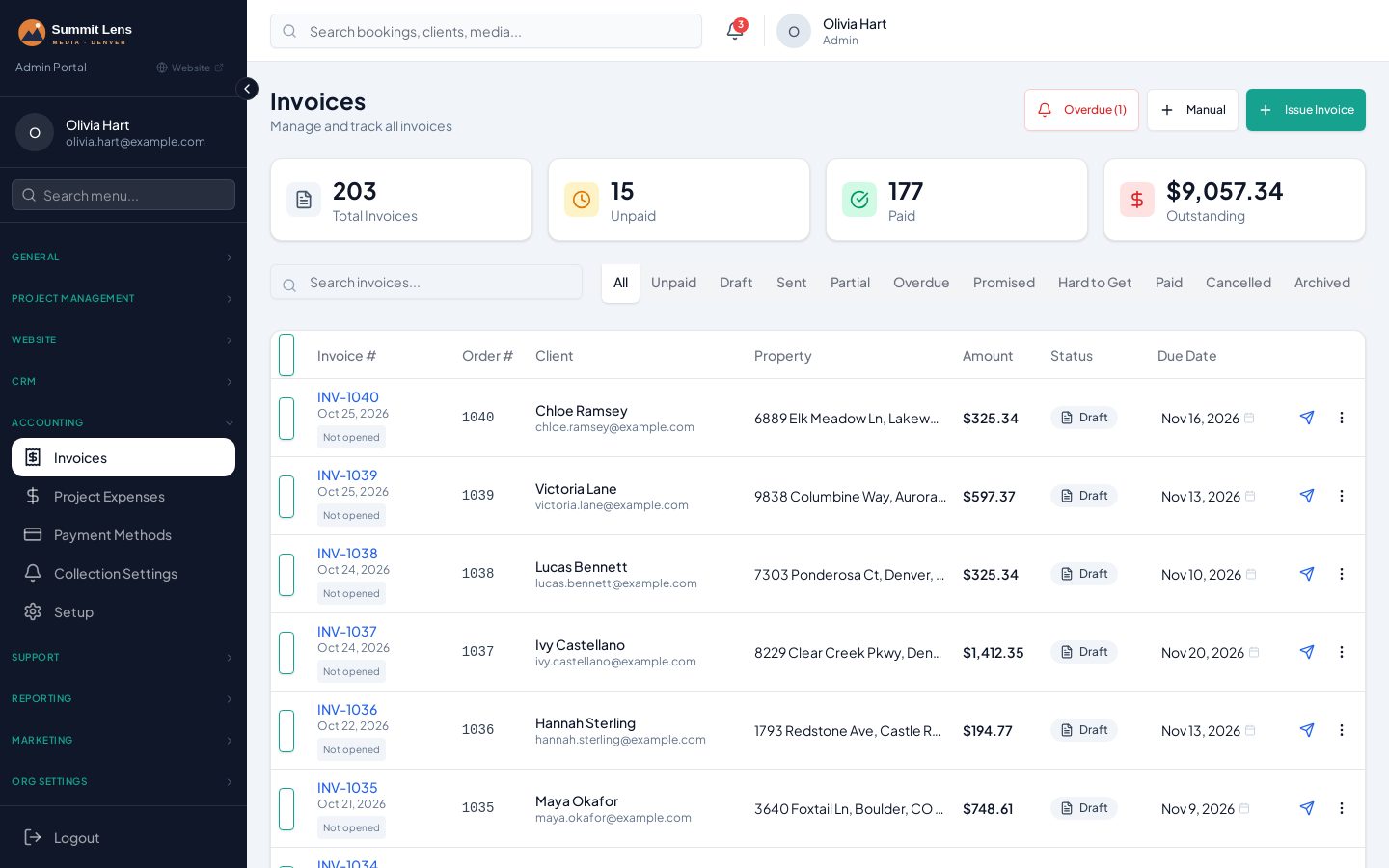
Square invoices and payment links, split invoices between agents, and multi-step collection strategies with promise-to-pay tracking.
- Square invoices and payment links, reconciled automatically
- Split one invoice between listing agent, co-listing agent or another payer
- Each payer gets their own link, status and reminders
- Collections strategies by invoice status, with promised-date reminders
- Due-date triggers: 3 days before, day before, on the day, overdue
- Interac e-Transfer and other manual methods, limited by location, flow or client
- Taxes (GST/HST/PST or custom), deposits and late fees
- Per-order job costing: crew wages, editing, hosting, mileage, parking (Pro)
Support desk with AI
ProAgents open tickets linked to their order. An AI reply acknowledges them warmly within minutes, and one click turns a ticket into checklist items on the right services. Included on Pro and Scale.
- Tickets with categories, priority, statuses, attachments and internal notes
- Linked to the order and its services
- Auto-assignment: round robin, least active, random or by service
- AI auto-reply a few minutes after a ticket is created
- AI turns a ticket or message into atomic to-dos on the order
- Notifications by email, SMS, Slack and Telegram
Ticket desk and AI replies on Pro and Scale.
See Support desk with AI in detail (2 screenshots)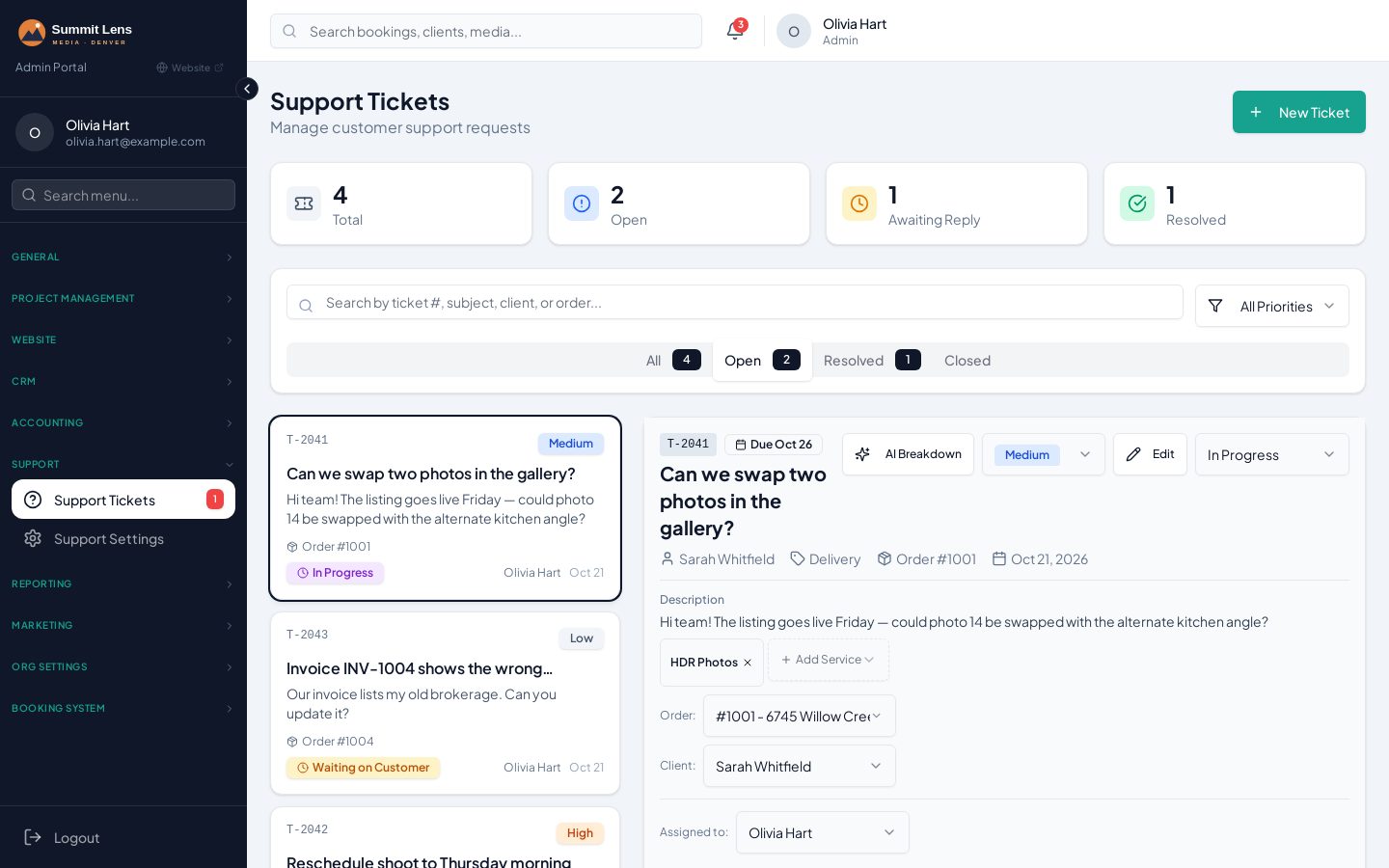
Communication centre & notifications
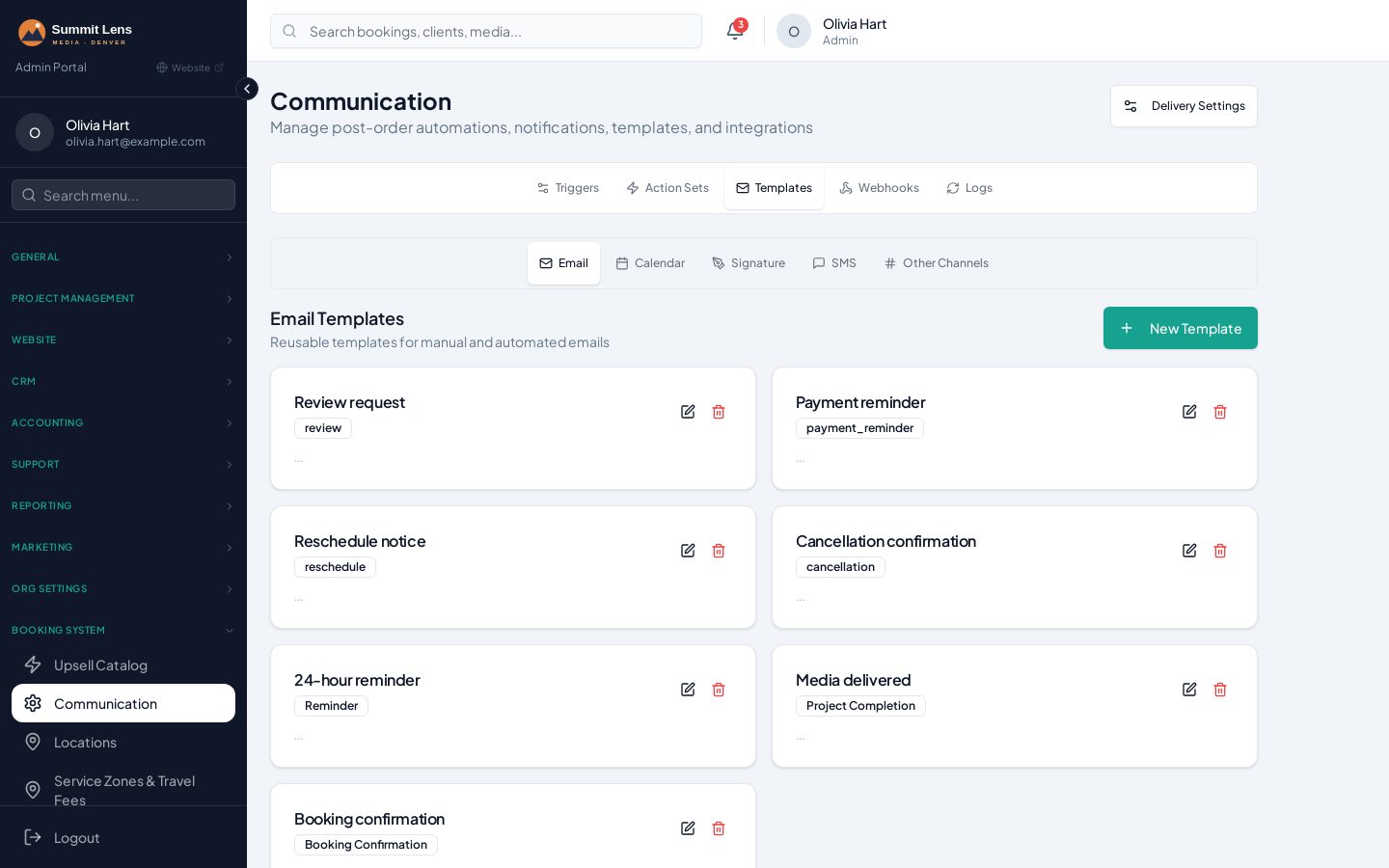
Branded email and SMS templates with live previews, AI-written copy and per-user signatures — plus team alerts in Slack, WhatsApp and Telegram, a live Telegram project feed and an in-app inbox.
- Email & SMS templates for confirmations, reminders, completion, quotes and more
- AI writes or rewrites any template
- Signatures per user or location; live preview with real order data
- Slack, WhatsApp and Telegram destinations for your team
- Telegram project feed: one live message per order, edited in place
- In-app inbox and notification bell for staff and agents
- Logs of every email, SMS and webhook
Reports & crew pay
Dashboards and reports built from your real orders, plus crew pay models that match how you actually pay people.
- Admin dashboard with period comparison, revenue and booking charts
- Orders, geography, video renders and missed-scheduling reports
- Mileage report per photographer
- Contractor and editor reports: volume, pay and turnaround
- Pay models: hourly, flat, first hour plus extra hours, per photo; minimums
- Travel, parking and meal reimbursements
Reports on every plan; contractor pay models & job costing on Pro and Scale.
See Reports & crew pay in detail (5 screenshots)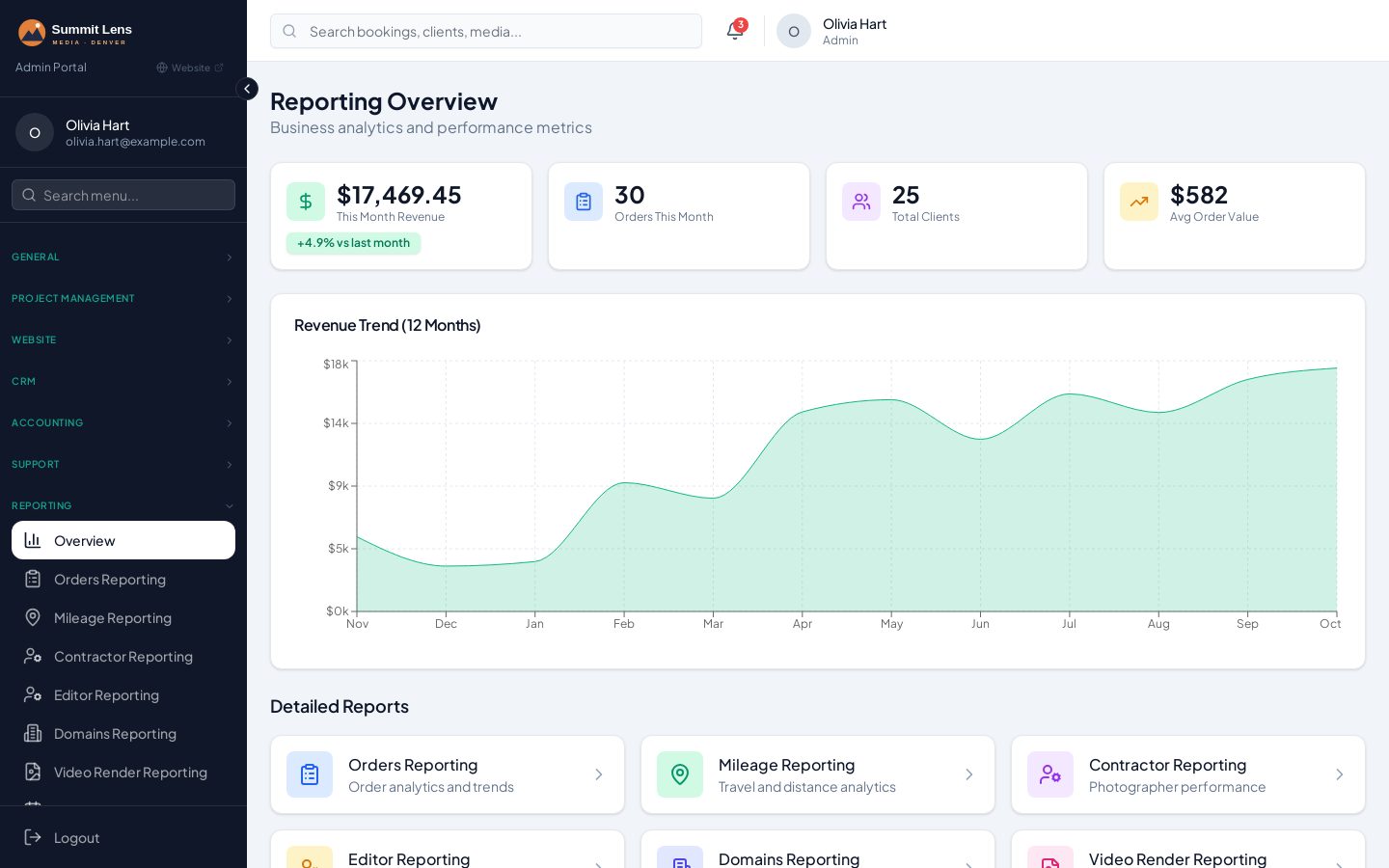
Portfolio, showcase & SEO website
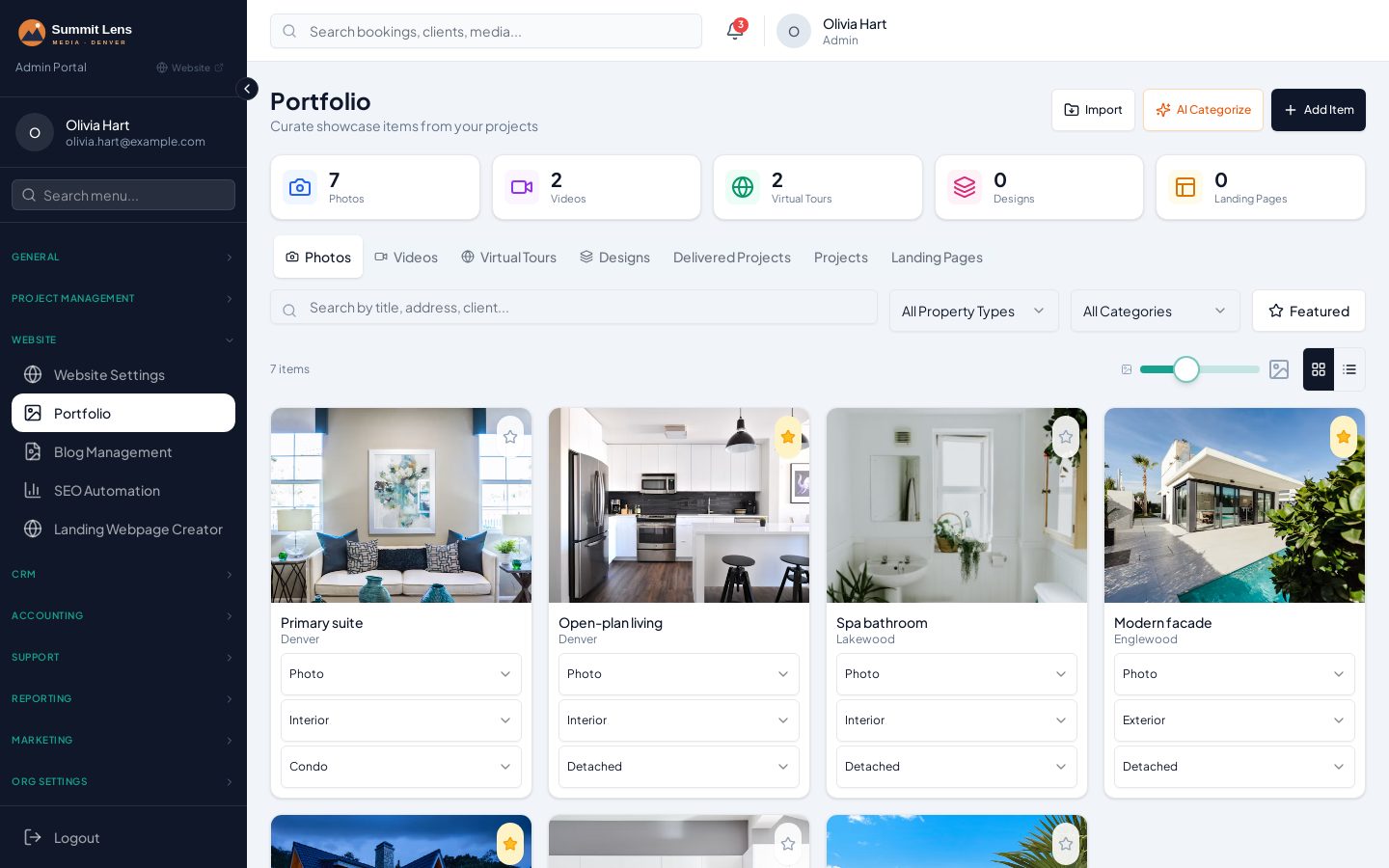
Every delivered project can become a portfolio item and a public showcase page. A built-in website, website manager and daily SEO automation keep your service and city pages fresh.
- Portfolio manager with AI categorisation (interior, exterior, aerial, twilight…)
- Bulk import from Dropbox or Vimeo; add straight from a delivery page
- Automatic showcase page per project, released when you choose
- Built-in website: services, pricing, areas, blog and contact
- Website manager: which packages show, badges, banners and section order
- Daily SEO sync: a page per service and city, sitemap and on-page audit
Agent portal
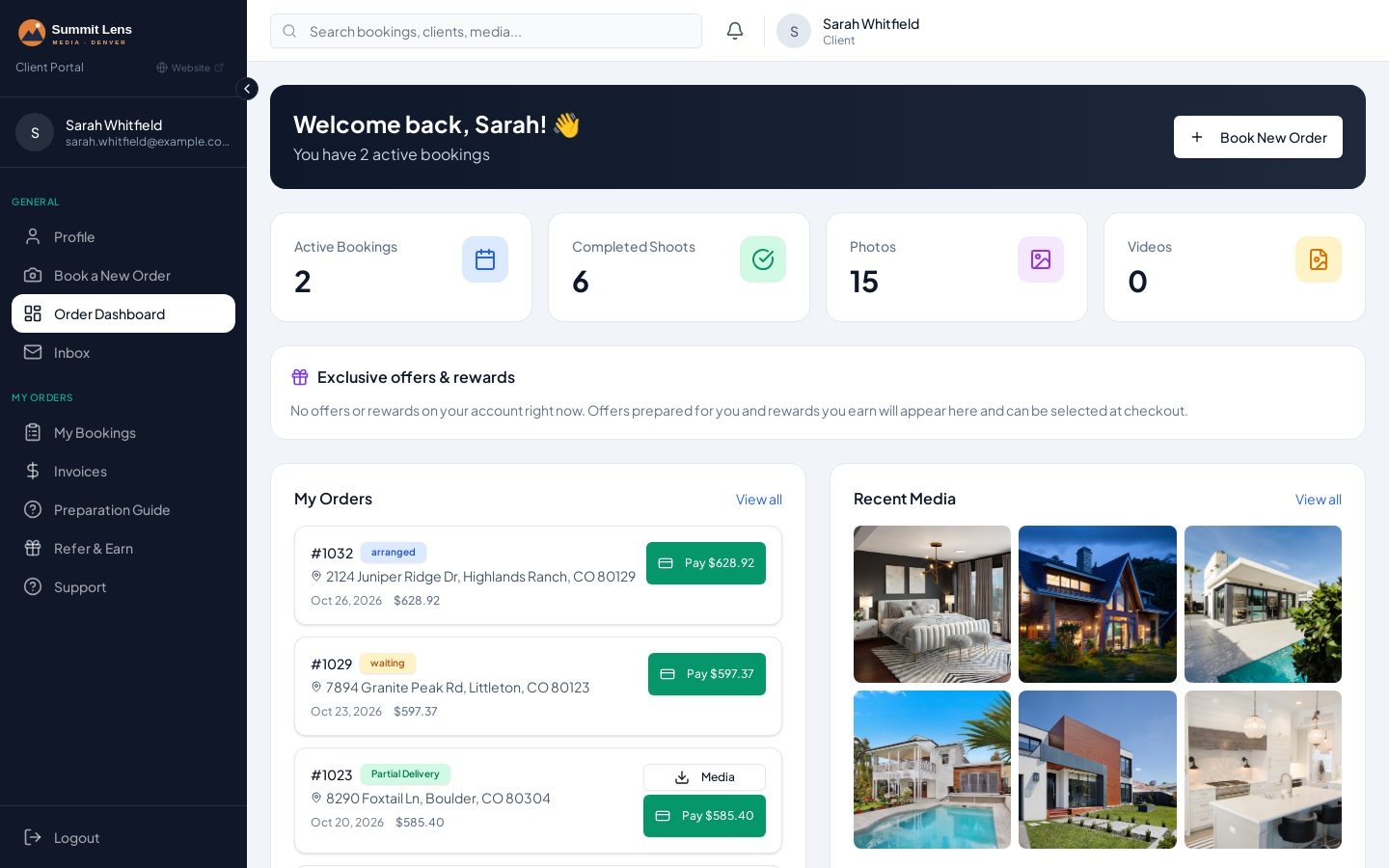
Agents see their bookings, deliveries, invoices, referrals and offers under your brand — and can reschedule or pay without emailing you. On Pro and Scale they can also open tickets.
- Active bookings, completed shoots and recent media
- Reschedule or cancel within your flow's rules
- Pay invoices online, see receipts and split invoices
- Referral link, rewards and personal offers
- Open and track support tickets (Pro and Scale)
- Works as a mobile web app on phones and tablets
Integrations
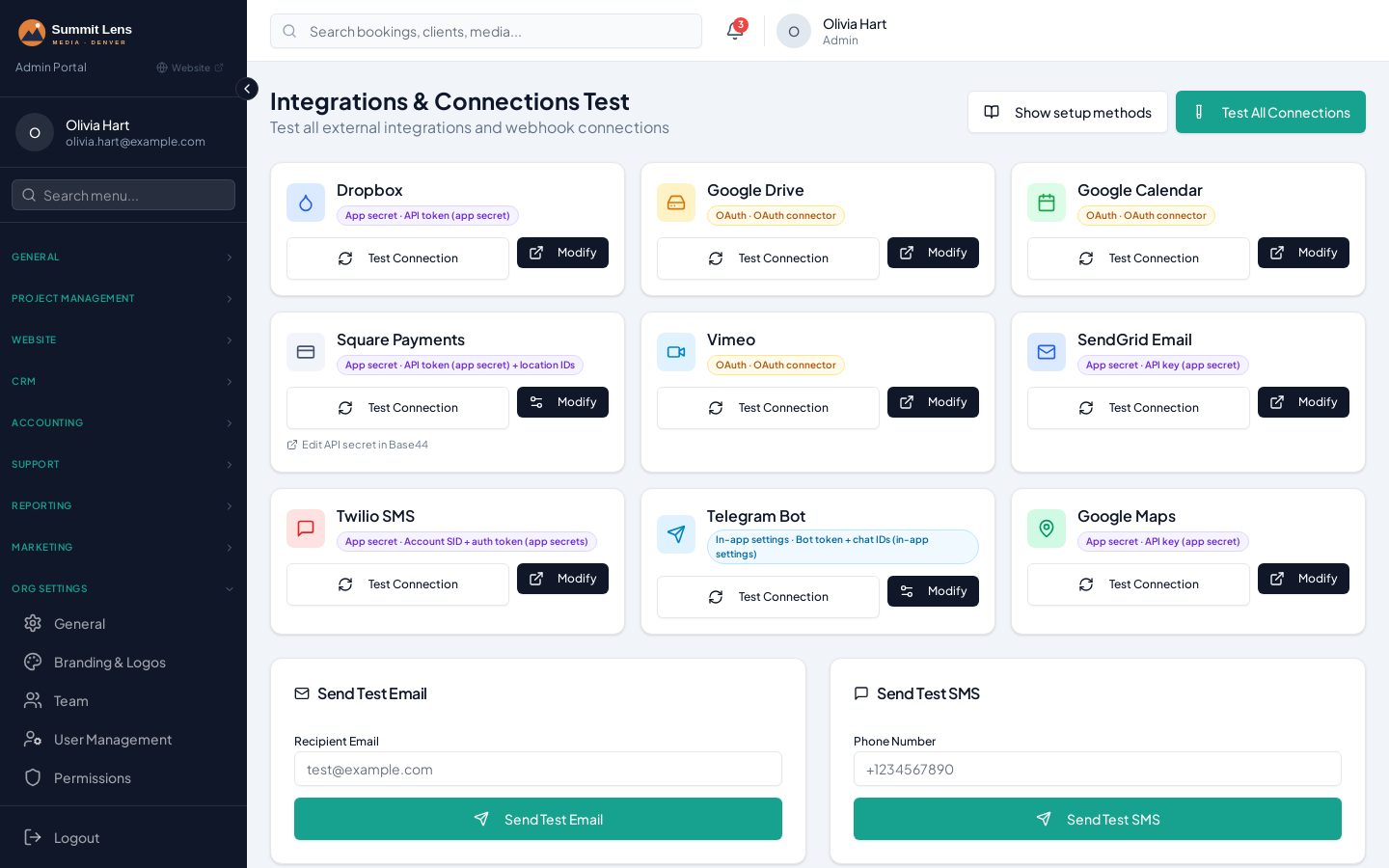
Square for payments, Dropbox and Google Drive for files, Google Calendar for crew availability, Vimeo for video, SendGrid and Twilio for messaging — each tested from one integration console.
- Square invoices, payment links and automatic reconciliation
- Dropbox: order, RAW and client-branding folders created automatically
- Google Drive import/export and Google Calendar two-way sync
- Vimeo browsing and import for videos
- SendGrid email and Twilio SMS (your own numbers)
- Slack, Telegram and WhatsApp notifications
- Outgoing webhooks for any trigger
- Integration console to test every connection in one place
Team, roles & multi-location
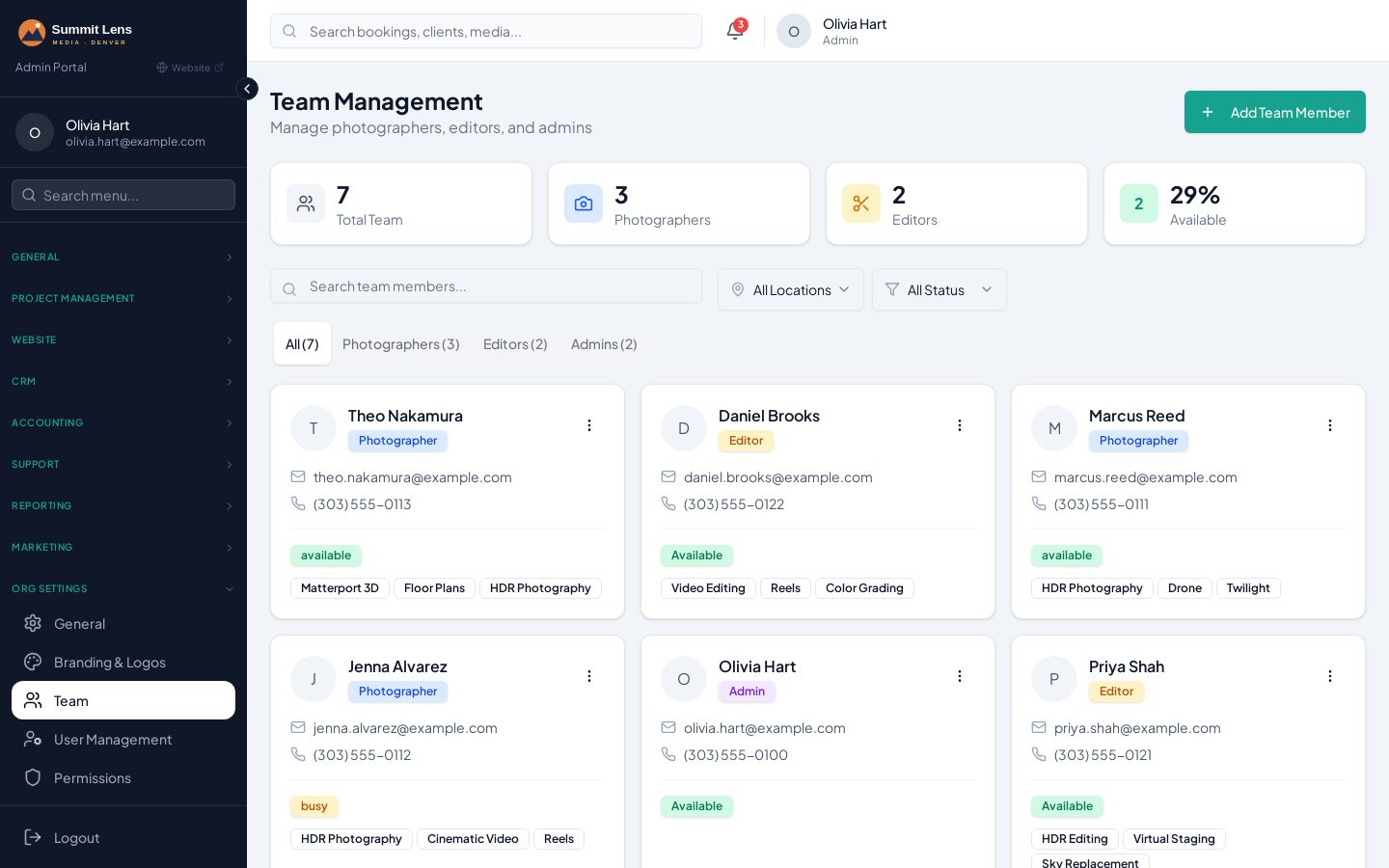
Invite your team, set roles and pay models, and run several locations — each with its own hours, time zone, tax and payment settings.
- Roles: admin, photographer, editor, support, agent
- Team invites with role assigned on sign-up
- Per-person services, coverage areas, working hours and calendars
- Pay models and reimbursements per crew member
- Multiple locations with their own time zone, tax and payment methods
- Data tools: import, export, find duplicates
See Omnivou running a real studio.
Book a 30-minute walkthrough, or apply to be one of our first 25 Founding Studios — free onboarding and your price locked for life.