

Real estate photography software: what a studio actually needs
By Omnivou Team · Published · 7 min read
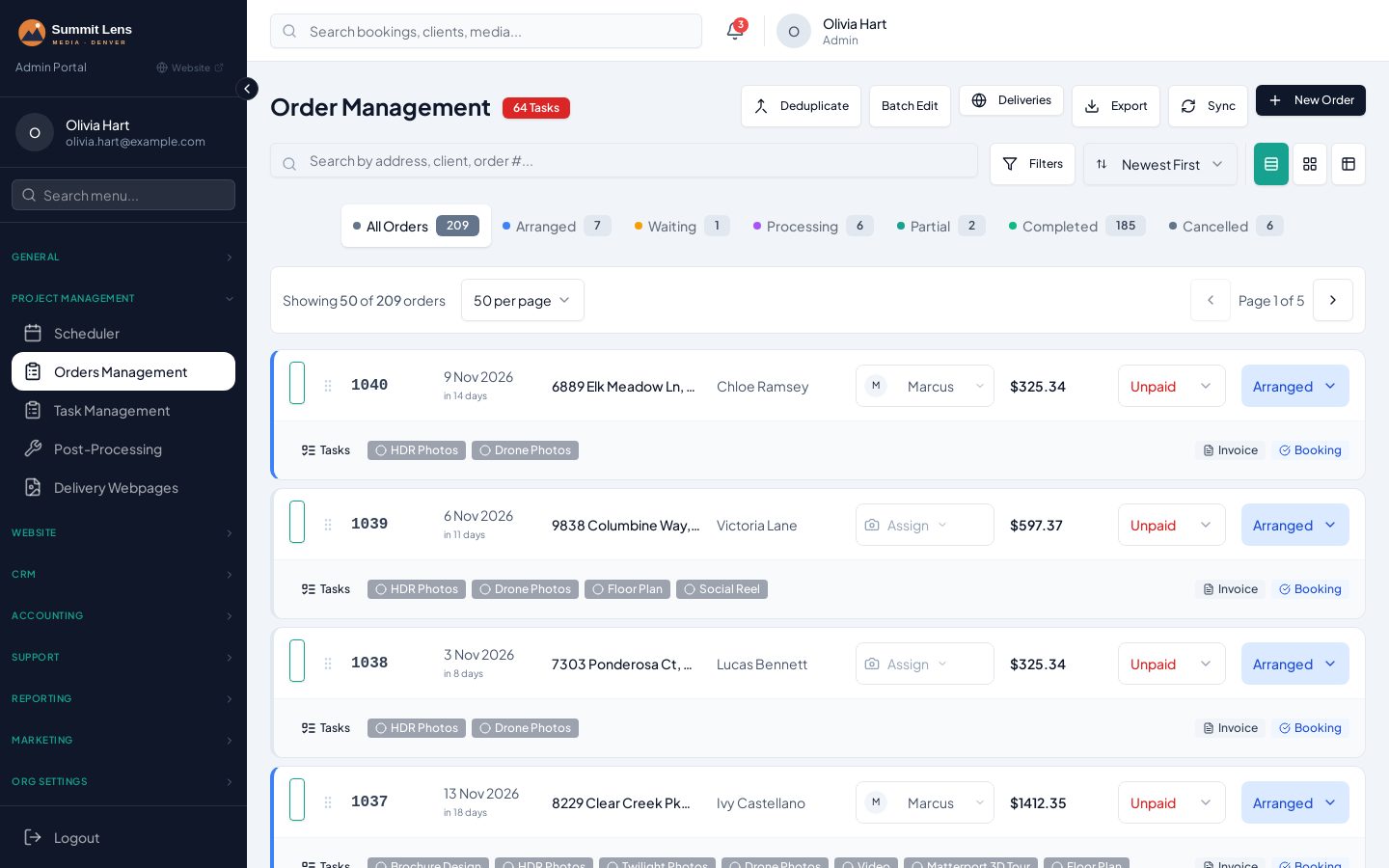
A real estate photography studio needs two kinds of software. Editing software (Lightroom, Photoshop or an outsourced editing service) turns raw files into listing photos. Business software runs everything around the shoot: booking, scheduling, the editor hand-off, delivery, invoicing and agent relationships. Most studios already own the first and patch the second together from separate tools.
This guide covers the second kind: what it has to do, the order of the jobs it covers, and the questions worth asking before you pick a platform. It is written for owners of listing-media studios, from solo photographers to teams with several shooters and editors.
Editing software vs business software
Both get called "real estate photography software", but they solve different problems.
| Editing software | Business software | |
|---|---|---|
| Works on | Image files: exposure, colour, blending, retouching | Orders: who booked what, when, where, and whether it is paid |
| Typical tools | Adobe Lightroom Classic, Photoshop, an outsourced editor | Booking, scheduling, delivery, CRM and invoicing tools, or one platform that covers them |
| Used by | Photographers and editors | The owner, office staff, crew, and the agents who order |
| Without it | Photos that look flat or inconsistent | Double bookings, lost folders, late delivery, unpaid invoices |
Adobe Lightroom Classic is a common starting point for editing, and nothing in this guide replaces it. The question is what sits around it.
The jobs business software has to cover
A listing shoot passes through the same stages every time. Each stage is a place where a studio loses time or money when its tools don't share information.
1. Booking and pricing
Agents want to book without a phone call and see the price before they confirm. That needs a booking form that knows your packages and add-ons, prices by square footage if you charge that way, and adds a travel fee for addresses outside your core area. If you sell twilight shoots, the latest slot has to move with the sunset through the year. See how booking flows handle this.
2. Scheduling and dispatch
Once a shoot is booked, someone decides which photographer goes. Good scheduling checks each photographer's working hours, existing jobs and calendar, and leaves drive time between addresses. In a one-person studio this is just your calendar. With three photographers it becomes a daily dispatch job.
3. Editing hand-off and quality control
Raw files have to reach the editor, whether that is you at night, an in-house editor or an outsourced service, and the edited set has to come back to a known place. The usual failures are a folder nobody can find and a job nobody knows is finished. Software helps when each order gets its own folders automatically and the job's status changes when the edits arrive. Omnivou, for example, checks each job's Dropbox QC folder every 15 minutes and moves the service to QC Review when edited files land.
4. Delivery
Agents need full-size files for print, smaller files for the MLS, and something easy to share: a delivery page, a property website or a video link. Delivery is also where your brand sits in front of the agent's own clients, so a page under your name and domain matters more than it first seems. See delivery pages and property websites.
5. Getting paid
Invoices for listing media are small and frequent, so chasing them by hand does not scale. The useful features are online card payment, reminders before and after the due date, splitting one invoice between a listing agent and a co-listing agent, and keeping downloads locked until the invoice is paid. Details are on the invoicing and payments page.
6. Agent relationships
Most of a studio's revenue comes from agents who order again. A CRM built for this business tracks each agent's orders and invoices, their brokerage and team, and how long it has been since their last booking, so you notice an agent going quiet before they leave. See the real estate photography CRM.
One platform or several tools?
Many studios start with separate tools: a scheduling app for bookings, Dropbox for files, an accounting app for invoices and a spreadsheet to tie them together. That works while one person holds the whole picture in their head. It starts to break when:
- a second photographer or an editor joins and needs to see what is theirs today
- the same agent's details live in four places and no longer match
- you find out an invoice is unpaid weeks after you delivered the photos
- you copy order details by hand from one tool into the next
An all-in-one platform removes the copying, but it moves your whole workflow into one vendor's system. That makes the vendor questions below more important.
Questions to ask before you choose
How does the price change with volume?
Studio software is usually priced per order (or per delivery) or as a flat monthly plan. Per-order pricing is cheap in a slow month and expensive in a busy one; a flat plan is the reverse. Work out the break-even point at your own volume. As an example with our own prices as of November 2026: Omnivou costs $8.99 per delivered listing with no monthly fee, or $99 a month on the Starter plan with unlimited orders. Twelve listings at $8.99 come to $107.88, so from 12 listings a month the Starter plan is cheaper. The pricing page has a calculator for your numbers.
Is the client-facing side under your brand?
Agents see your booking form, your delivery pages and your invoices. Check that those can carry your logo, colours and domain, and whether that costs extra.
Who owns the platform, and can you leave?
Software vendors change hands. Zillow acquired the real estate media platform Aryeo on July 31, 2023, according to Zillow Group's quarterly report to the SEC (Inman covered the announcement on August 2, 2023). That is not a criticism of Aryeo. It is a reason to ask any vendor how you would export your clients, orders and invoices if you ever needed to.
Does it connect to what you already use?
List the tools you will keep, such as your payment processor, file storage and calendar, and confirm each integration exists before you commit. Omnivou, for instance, connects to Square, Dropbox, Google Drive, Google Calendar and Vimeo.
What does switching cost?
Moving years of clients and orders is the hardest part of changing systems. Ask what the vendor imports for you, what that costs, and how long you will run the old and new systems side by side.
Where Omnivou fits
Omnivou is business software for real estate media studios. It covers booking, scheduling, the editor hand-off, delivery, CRM and invoicing in one system under your brand, and it was built inside a working real estate media studio in Vancouver. It does not edit photos: you keep Lightroom, Photoshop or your editing service. If you are weighing options, the comparison pages set Omnivou against Aryeo, HDPhotoHub, Spiro and others, with dated and sourced facts.